



Thousands of tutorial content is surging across industries – people everywhere need clear, engaging video guides. Tutorials have become essential learning tools, from software walkthroughs to cooking demos and fitness routines. Yet, making professional-looking how-to videos has its own set of problems. You may have trouble scripting, visual consistency, or even precise captions. Tools like AI video maker can make a massive difference by automating part of the process that would otherwise waste hours.
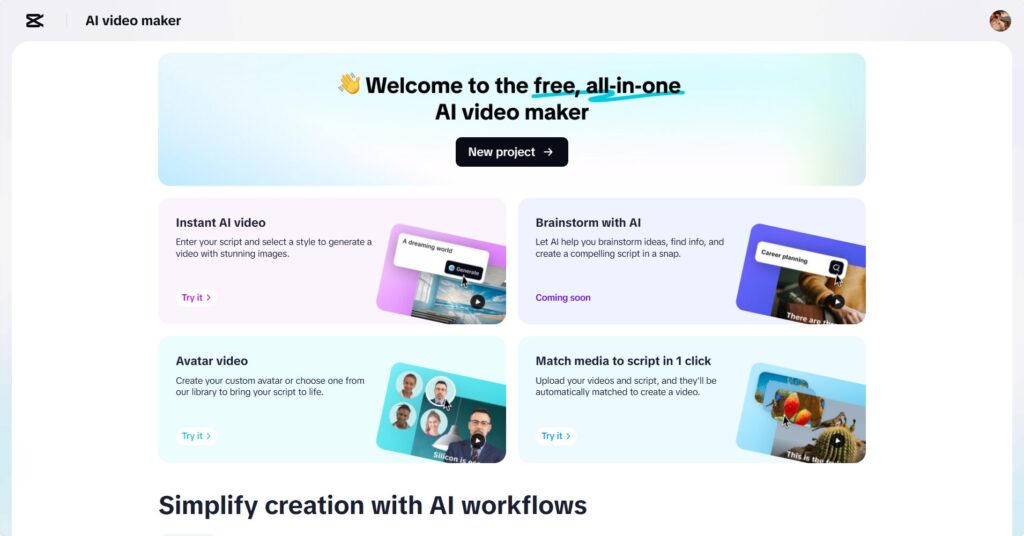

It’s hard for many creators to keep their content structured, polished, and visually appealing. Producing tutorials that look professional without advanced editing tools or a whole production team is out of reach. However, with its innovative AI-driven feature, CapCut Web makes it super easy to create clean, clear, and interesting video tutorials.
Why Tutorials Thrive in the AI Editing Environment
Visual explanations are best when presenting concepts via tutorials. AI-generated voiceovers combined with structured scripting keep your viewers engaged and grasp every detail.
Clarity is everything in educational content. Best AI tools help achieve the perfect timing, clean visuals and consistent pacing. With AI, you can now create captions, voices, and backgrounds for your tutorials, making them more accessible to various learning styles. AI also guarantees accuracy, and there is no risk of missing steps or miscommunications.
CapCut Web Video Editor: An Educator’s and Creator’s Best Friend
No other site has as much support for structured teaching on the CapCut Web. It provides automatic captions, AI voiceover and customizable features for every type of educational style. Its drag-and-drop editor will make it easier to plan and create lessons rather than battling with technicalities.
This will let you guarantee that your educational brand has a feel that matches your video. It’s simple to customize – choosing fonts, colors, or character avatars. It allows for personal and visually consistent flexibility in every tutorial to build trust and authority with your audience.
Three Steps to Make Creative AI-Powered Videos at CapCut Web
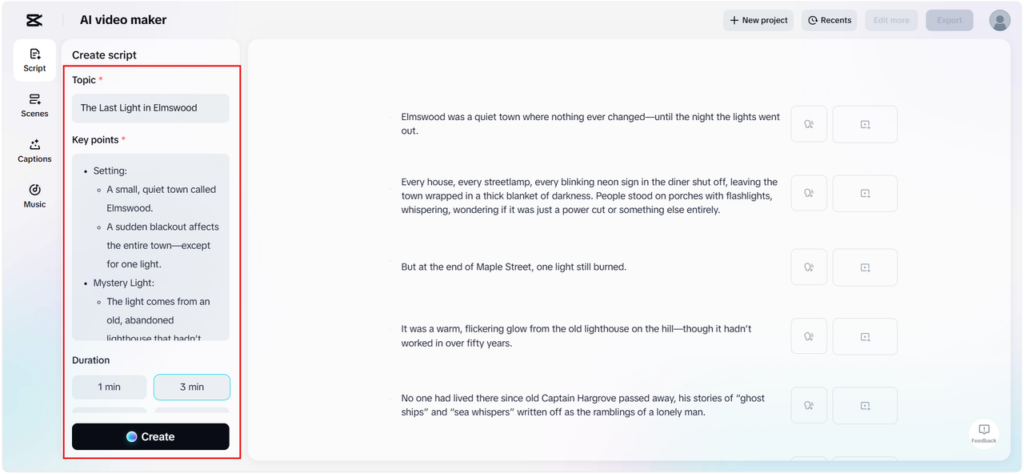
Step 1: Build your tutorial script.
Head to the “Script” section. Input the topic and jot down the points you wish to cover. Then click “Create” to generate a structured script with AI. Review the auto-generated draft, refine the content as needed, and once finalized, proceed to visualize your tutorial

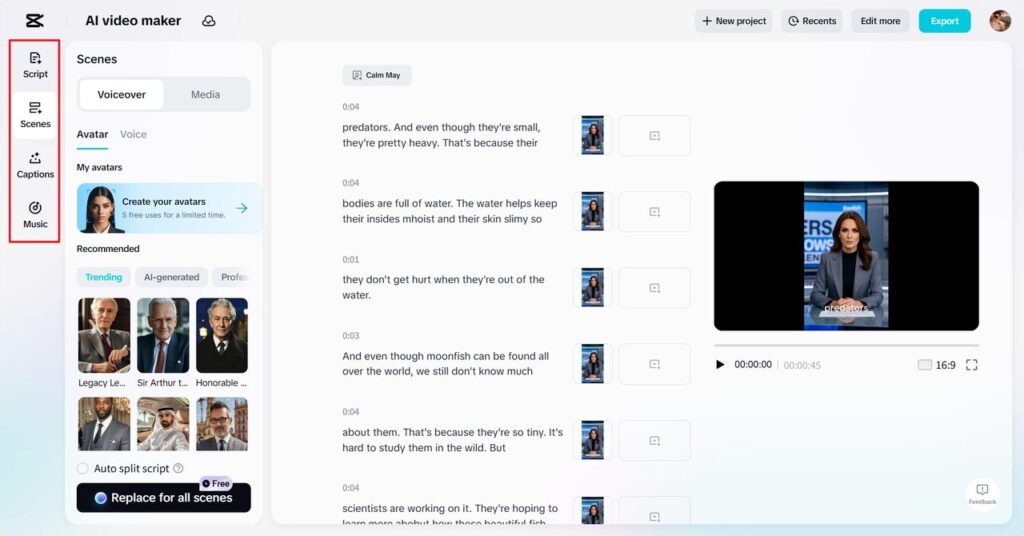
Step 2: Augment with visualizations using AI tools and custom audio.
If you choose the “Scenes” option, you will pair your text with visuals, AI avatars, or voiceovers. Switch to the “Voice” tab if aren’t needed. This means that you’re able to choose a voice style or a language similar to your audience. In addition to this, CapCut Web allows you to add captions, background music, and effects to your video from its media library, making it clear and fun.
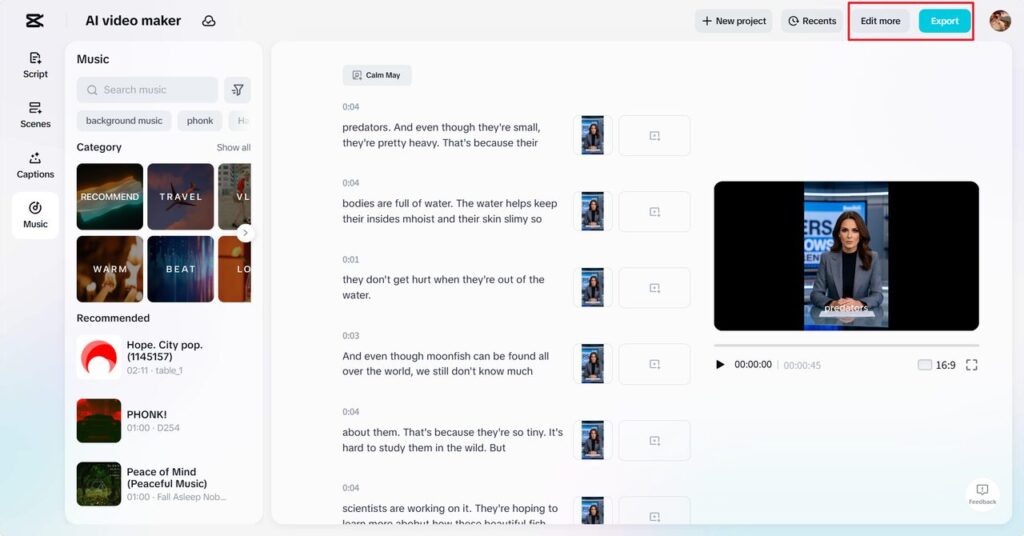
Step 3: Export your tutorial or tweak it further
Thirdly, preview your video to make sure everything falls into place. Click ‘Export’ if it’s perfect. Otherwise, hit ‘Edit more’ to further refine your visuals, transitions, and/or music in the full editor. With CapCut Web, you have complete control of every detail to polish every part.
Building Structured, Step-by-Step Tutorial Videos
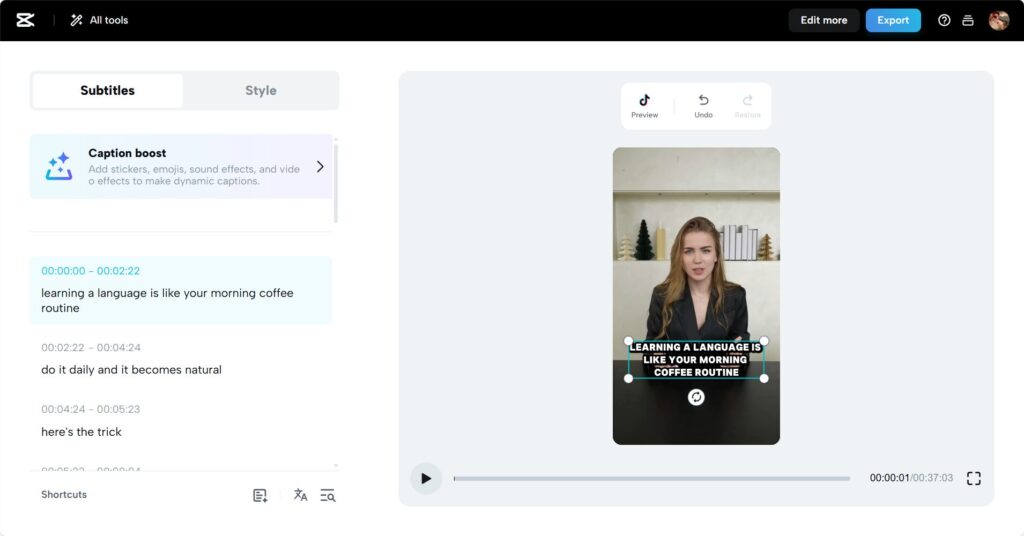
A good tutorial follows a similar step-by-step structure. That is what CapCut Web’s scene creation is all about. You can use individual modules for each part of your lesson and logically position them. Music and transitions help keep the cognitive flow, which is essential; the viewer will be focused as they keep moving from one point to another. Even on CapCut Web, you can include quizzes, summaries, or visual recaps. AI caption generator is an incredible feature of CapCut Web. This reinforces key ideas, contributing to your video becoming more valuable and more effective in your ability to retain knowledge.
Elevating Tutorials with AI Features
AI voice options give you multilingual flexibility, which is great if you want to reach international audiences or make your videos more accessible. The text to speech free feature ensures you don’t need to record anything yourself. Just type your script, select a voice, and let AI handle the narration.
Visual effects and subtle animations enhance memory retention. CapCut Web’s tools help you build consistent intros and outros, adding a polished touch that makes your content feel professionally produced.
Best Practices for Long-Form Tutorial Video Editing
To keep long tutorials engaging, use time-stamped scenes. CapCut Web makes it easy to break videos into chapters that viewers can jump between. Caption styling is another effective tool. Highlight important points or instructions using bold, colorful captions to grab attention.
Music and visuals should complement the pacing and mood of your content. For calm, instructional topics, choose soft background tracks. For energetic tutorials, livelier music works better. CapCut Web’s music library and customizable visuals let you match your content’s tone perfectly.
Conclusion
CapCut Web video editor is an excellent choice for educators, content creators, and business trainers looking to create professional tutorials with ease. Its AI-powered features simplify everything from scripting and voiceovers to captions and transitions.
Using CapCut Web’s advanced AI tools, you can deliver polished, engaging, and informative tutorials without needing expensive software or production teams. It’s now easier than ever to turn your knowledge into valuable, high-quality video lessons that capture and educate audiences worldwide.
To read more content like this, explore The Brand Hopper
Subscribe to our newsletter
Go to the full page to view and submit the form.