


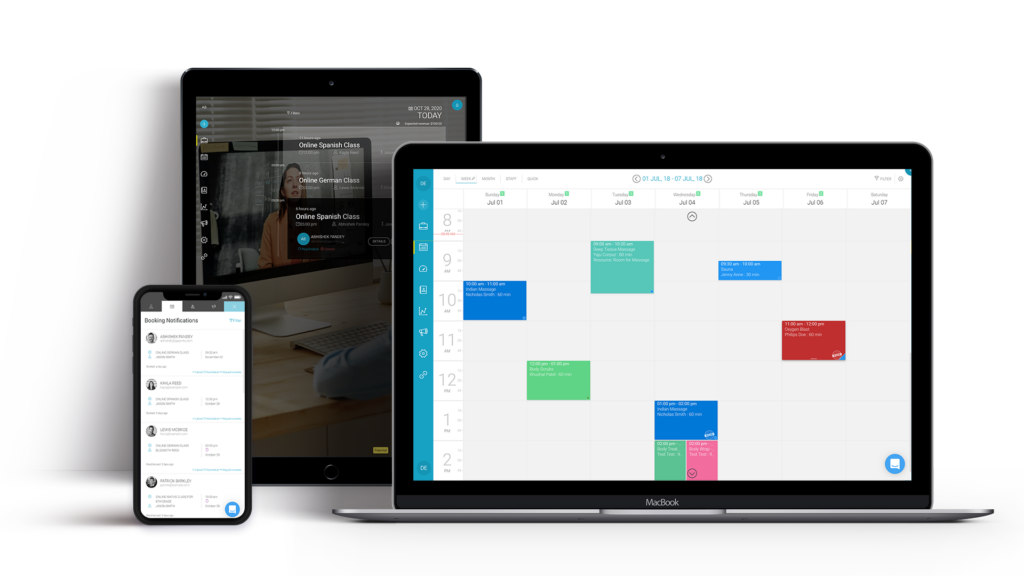
Brands spend heavily on logos, websites and campaigns. Yet for businesses that sell classes, workshops or training courses, one of the most important brand moments happens after the marketing ends. It is the moment a customer tries to book.
If the process is slow, confusing or full of manual back-and-forth, the brand feels the same way. If it is quick, clear and consistent, customers trust the business before the first class even starts. That is why choosing class scheduling software is not only an operations decision. It is a brand decision.
Why is the booking journey a brand journey?
Think about the steps a customer goes through:
- They find a class on your website.
- They check dates, format and availability.
- They register and pay.
- They receive a confirmation and joining details.
- They get reminders before the class.
- They attend, then receive a certificate or follow-up.
Each step is a touchpoint. Each one either reinforces your brand promise or quietly undermines it. A premium training provider with a clunky booking form sends a mixed message.
Where does manual scheduling hurt the brand?
Many class-based businesses still run bookings through a mix of spreadsheets, email and basic forms. The problems are familiar:
- Website dates that no longer match the real schedule
- Customers emailing to ask whether a class still has space
- Confirmations that arrive late, or look different every time
- Cancellations and transfers handled slowly by hand
Customers rarely complain about these issues directly. They simply choose a competitor next time.
How does class scheduling software strengthen the experience?
A website that is always accurate
When classes are scheduled in the software, they can publish directly to the website and update in real time. Customers see correct dates, prices and availability without anyone editing the site by hand.
Consistent, branded communication
Automated emails go out for registrations, payments, reminders and surveys. With Arlo, businesses can use email templates and apply their own fonts and colors, so every message looks and sounds like the brand.
Self-service that respects the customer’s time
A branded customer portal lets people manage registrations, view upcoming classes, access materials and download certificates without waiting for a reply.
A smooth experience after the class
Certificates and feedback surveys can be sent automatically when a class is completed. Arlo also supports reminders before certificates expire, which gives customers a reason to come back.
Flexible formats
Customers expect choice. Good scheduling software supports face-to-face, live online, blended and self-paced options, as well as one-off and multi-session classes.
How do the same tools save time behind the scenes?
A strong customer experience usually depends on an organized back office. The same system that powers the booking journey also helps the team run the business:
- Templates speed up scheduling for classes that repeat on multiple dates
- Task lists keep logistics such as room setup and catering on track
- Instructors can record attendance and grades on a mobile app
- Dashboards show registrations, payments and course performance in one place
Arlo reports that its platform has been used to schedule 375,000 courses and train 7.5 million people, with $3 billion worth of training sold. Figures like these show how central scheduling has become for training businesses of every size.
What is the difference between scheduling software and booking software?
The terms are often used together, but they are not identical. Class scheduling software focuses on organizing and managing the schedule itself: classes, instructors, venues and formats. Booking or registration software focuses on the customer’s sign-up process. For most training businesses, the best results come from a system that does both, so the schedule and the booking experience never drift apart.
What should you look for?
| Brand priority | Feature to check |
| Consistency | Branded email templates and customer portal |
| Accuracy | Real-time publishing of classes to your website |
| Convenience | Online payments, self-service transfers and cancellations |
| Follow-through | Automatic certificates, surveys and renewal reminders |
| Choice | Support for in-person, online and blended classes |
Which mistakes undermine the experience?
Even with good class scheduling software, a few habits can weaken the customer experience:
- Default email templates. Generic messages feel impersonal. Rewrite them in your brand voice.
- Too many form fields. Ask only for what you need. Every extra field adds friction at checkout.
- Hidden policies. Make cancellation and transfer rules clear before customers pay.
- Ignoring mobile. Test the full booking journey on a phone, where many customers will start.
Small details like these separate a booking process that simply works from one that customers remember for the right reasons.
Final thoughts
Customers judge a brand by how it behaves, not just how it looks. For class-based businesses, the booking journey is where that behavior is most visible.
Class scheduling software turns that journey into something consistent and reliable. It keeps the website accurate, the messages on-brand and the experience smooth from the first click to the final certificate. That consistency is what turns a one-time booking into a loyal customer.
To read more content like this, explore The Brand Hopper
Subscribe to our newsletter
Go to the full page to view and submit the form.