


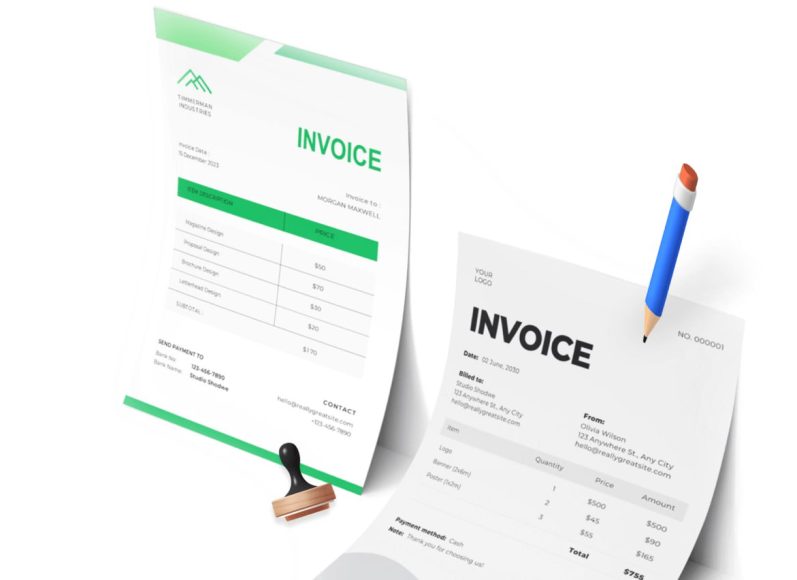
Creating professional billing documents from scratch is a very tedious and challenging job. It’s time-consuming and the downside is that it can eat up time you could otherwise use on a variety of other things. The most important thing is to learn how to create professional billing documents without starting from the beginning. And there are various ways to achieve that.
Why is it not a good idea to start from scratch?
For starters, it’s a waste of time because you can find templates and other tools to give you an excellent starting point. It also feels unprofessional, because you will lack consistency when it comes to logos, fonts, layouts and so on. In addition, doing this from scratch is going to produce a multitude of errors. It doesn’t matter if you want to create a paycheck system or professional billing documents, it’s a very good idea to use templates or other similar systems.
Online invoice generators
There are a ton of different online tools that can prove to be very useful when you want to avoid starting from scratch. Not all of them will have the same structure or look, so there might be some consistency problems. That’s why they are good solely for one-off or infrequent billing. Yes, they are not ideal, but these can help you not start from scratch. So that on its own can be a game-changing approach, especially if your focus is on saving both time and money.
Ready-made templates
These days, you can find templates for pretty much everything you need. Whether you want a utility bill template or an invoice template, you can find it. These templates can work great for small businesses, freelancers and so on. They work great even if you have a multitude of clients per month.
With that in mind, some templates might still require some manual input or features. It’s going to help you anyway, because you’re not starting from scratch. Instead, a lot of the major pieces are working very well, and they can deliver excellent value.
If you want to use a template, a good idea is to opt for a clean and simple layout. You also want to add your business details, logo and bank information once, and then lock the info to not be edited. Add formulas that you might need and save a blank master copy that you don’t want edited. And then, export to the PDF format before sending, so the document can’t be easily altered, and it will also display consistently.
Dedicated invoicing/accounting software
If you don’t want to start from scratch, a good idea is to start using accounting or invoicing software. That’s good, especially if you use cloud-based systems which update automatically. They can help you generate documents with a few clicks, they can send reminders, and might even track the payment status.
It can be a good option for businesses who do regular billing, or who are looking for automation. The downside is that they have subscription costs, they require training and sometimes have a steep learning curve. Also, you do end up depending on that provider. If they stop supporting or offering that tool, then you have to switch to something else, which could require extra expenses, too.
But, if you want to choose such a system, ensure that it fits your country’s tax rules and the invoice requirements. It should also have customizable templates with branding, recurring billing, online payment options, integration with your banking and accounting, transparent pricing and good data export options. Frequent updates won’t really hurt, either.
Document automation from existing data
If your data is in an e-commerce platform, project tool or a CRM, you might even have the option to generate billing documents from that specific tool. It’s good if you don’t want to manually type everything, and it also ties the invoice to the work that was done there. The downside is that setting it up requires effort, and the output quality will be reliant on the underlying data quality. It’s not perfect by any means, but it’s functional and that’s what matters.
Creating a template that works
A good idea is to try and create your own template. That can be suitable for your specific use-case, and it can streamline a lot of the work. However, it’s a good idea to know what a template should include.
- Ensure that the template has a clear hierarchy and a clean layout. The document type, number and due date always needs to be visible at a glance. You also want to have plenty of white space, a few font types and colors, along with a legible font to maintain professionalism.
- Itemized detail is just as important, because you want to describe every line enough to ensure the reader understands what it does.
- Branding consistency matters too, so it makes sense to keep the logo and business details at the top. Of course, you also want to use the brand colors, but try to do that sparingly.
- Make the payment instructions obvious. It’s a good idea to add them in a place where they can’t be missed. That way, it’s easier for the client to see everything and not be confused. You should also ask clients to quote the invoice number when paying, as it will make it much easier to match payments.
- The template should always have plain language terms. It’s a great idea to do that because it offers clarity, and it removes any possible misunderstanding.
Conclusion
Clearly, using a template is the best way to create professional billing documents without having to start from scratch. It’s important to create the right type of document that works great, one that’s very easy to use and adaptable to your needs. It’s not a walk in the park, but knowing how to implement everything and adapt everything will help more than expected. Make sure that you always test things out, and make any changes as needed. It will take a bit to find the right format and style, but once you do, it will be of great aid for your business!
To read more content like this, explore The Brand Hopper
Subscribe to our newsletter
Go to the full page to view and submit the form.