


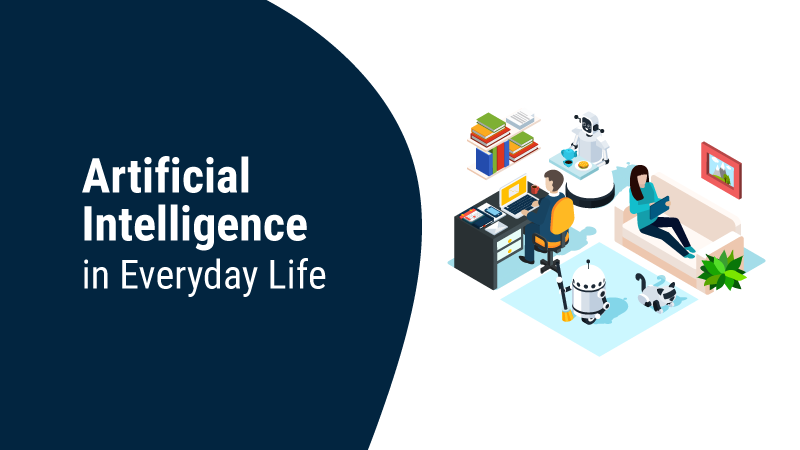
The use of artificial intelligence is expanding beyond IT firms and specialized groups. Under careful supervision, modern AI tools may assist humans with a wide range of tasks, including writing, researching, organizing information, learning new skills, solving issues, and managing day-to-day obligations.
How AI Is Changing the Way We Work and Live
Replacing whole occupations or tasks is not always AI’s most practical use. The opposite is true: it may both simplify mundane operations and serve as a springboard for more involved projects.
To name a few of generative AI’s many abilities: drafting language, summarising long pieces of information, organizing ideas, explaining complex concepts, helping with coding, and seeing patterns in given data. Similar qualities may be helpful in one’s personal life for things like studying, organizing one’s home, organizing a trip, and artistic endeavors.
Selecting AI-appropriate tasks while retaining human judgment in matters of accuracy, privacy, or critical decision-making is where value is found.
Practical Ways to Use AI at Work
Time savings is the primary goal of many artificial intelligence applications in the workplace. Businesses, independent contractors, and employees may all benefit from AI by delegating tasks that involve extensive data entry or repetitive work to the technology while still maintaining control over the final product.
Writing Emails, Reports, and Business Documents
Too much time can be wasted on a blank page. In response to given instructions, AI may draft various business documents such as emails, reports, proposals, meeting agendas, and more.
To give an example, when you ask AI to “write an email,” be specific about the objective, recipient, necessary details, preferred tone, and number of words you want included. After the text is created, the writer may make edits to make it seem more like themselves and their situation. An AI writing assistant can help refine drafts for tone, clarity, and readability before the final human review.
Shortening lengthy papers, reorganizing badly structured language, and making notes more understandable are all tasks that AI can assist with. Be sure to double-check any statements, dates, statistics, or crucial names before using the material.
Researching and Summarizing Information Faster
Users may comprehend new topics, formulate research questions, compare ideas, or summarise their own content with the aid of AI-assisted research.
When a project is just starting, this is invaluable. For example, before consulting authoritative sources, someone studying a new industry may utilize AI to recommend areas for examination.
You can’t just use AI summaries at face value as proof. Because models are fallible and may produce inaccurate results, it is essential to use authentic, trustworthy sources when precision is critical.
Analyzing Data and Supporting Better Decisions
By assisting users with data organization, trend identification, formula creation, calculation explanations, and valuable suggestions for analyzing results, AI may make datasets easier to understand.
Companies may use AI to classify client reviews, while individuals can use it to make sense of their buying habits. It can also help others who aren’t data experts understand the significance of certain indicators.
The individual using the data should retain ownership of the final decision. In its most effective form, AI-generated analysis serves as a decision-support tool rather than a fully autonomous decision-maker.
Automating Repetitive Administrative Tasks
Another area where AI might be useful is routine administration. Information categorization, meeting note summarisation, action item extraction, standard response preparation, and recurrent process organization are all areas where AI might be useful, depending on the resources at an organization’s disposal.
Rather than eliminating essential oversight, the objective should be to automate predictable tasks. Controls should be more stringent for tasks with substantial repercussions, such as those involving sensitive information, financial authorization, regulatory requirements, or other critical functions.
Brainstorming Ideas and Solving Everyday Problems
Because users may quickly request multiple options, AI is especially useful as a brainstorming buddy.
While a manager is trying to solve a workflow issue, a marketing team is exploring campaign angles, and a freelancer is developing potential project structures.
Users can reject the initial recommendation and instead challenge the result in many ways, such as by requesting ideas with more stringent limitations, comparing methods, or identifying shortcomings. Instead of just being a content generator, AI becomes an interactive thinking tool with this feature.
Using AI for Coding and Technical Work
traditional writing. Developers may use them to simplify complex code, offer implementation suggestions, identify potential errors, and reduce repetitive programming tasks.
Writing, Reviewing, and Debugging Code With AI
Coding aids have greatly expanded the use of AI in areas beyond Coding, Code Review, and Debugging Thanks to AI. An artificial intelligence coding assistant may parse current code into its components, suggest tests to run, construct simple functions based on user input, and assist with fault investigations.
Anyone learning to code may profit from this, not just seasoned programmers. An inexperienced developer can use AI to generate boilerplate code or explore potential solutions before implementing them, while a novice can ask why a function behaves as it does.
Generated code must still be reviewed and tested. It is possible for an answer to appear convincing while really hiding security flaws, out-of-date methodologies, or logical faults.
Using AI Coding Assistants Without a Large Budget
A lack of funds should not impede exploring AI-assisted development. Some coding tools may be made accessible for learning and smaller projects through free tiers, trials, use limitations, and alternative access options.
This resource How to Use Claude Code For Free can help developers understand the techniques and limitations of Claude’s coding capabilities.
Make sure the free alternative is suitable for the code at hand, has reasonable usage constraints, and has clear privacy conditions before relying on it for professional development.
How to Use AI in Your Personal Life
Even when used for non-work-related tasks, the same technology may make life easier. The most effective applications of everyday AI use tend to be those that are both practical and help people accomplish things more easily.
Planning Daily Tasks and Managing Your Schedule
A disorganized to-do list may be transformed into a well-organized strategy with the help of AI. Provide it with the tasks, your availability, due dates, and priorities, and then ask it to generate a reasonable plan for you.
As needs change, it can also reorganize plans or break down huge projects into manageable chunks. If a user doesn’t have permission to use the tool they’re using to access their calendar or genuine obligations, they shouldn’t trust AI with their current schedule.
Learning New Skills and Understanding Complex Topics
In terms of individual uses, personalized learning is one of the best AI applications. Asking follow-up questions, making practice activities, requesting explanations at varying levels of difficulty, and exploring a topic through examples are all possible for users.
If you’re teaching someone how to use spreadsheets, they can ask for a formula and then want to know how it works. An alternative to asking for answers is for a student to ask for practice questions.
Learning materials should still be double-checked when factual accuracy is paramount, but AI’s capacity to keep asking questions makes it ideal for delving into complex ideas.
Planning Trips, Meals, and Personal Projects
When it comes to vacation planning, grocery shopping, and home improvement tasks, AI can be a huge help in the early stages.
Users can create a rough vacation itinerary by entering their desired destination, length of stay, hobbies, mobility needs, and budget. When planning meals, it’s helpful to consider both personal dietary preferences and the ingredients at hand.
Consider these recommendations as a planning tool. Always check with the most up-to-date official sources for information that may change, such as prices, operating hours, transportation schedules, visa requirements, and more.
Using AI for Creative Ideas and Hobbies
Whether you’re into photography, gardening, storytelling, or any number of other pastimes, AI may serve as a source of ideas and suggestions. It may also aid in acquiring new skills or in evolving a concept into a finished product.
Artificial intelligence (AI) is most useful in the creative realm when it broadens participants’ options rather than supplanting their unique preferences and originality.
How to Get Better Results From AI Tools
The data and commands given to an AI significantly impact the quality of the response.
Give AI Clear Context and Specific Instructions
An effective AI prompt details the job at hand, any pertinent history, limitations, target output, and audience.
In place of “plan my trip,” be more specific about the location, duration, interests, preferred mode of transportation, and things to avoid. In most cases, a better beginning point is generated by more pertinent context.
Break Complex Tasks Into Smaller Steps
Results might seem superficial when queries are large. To better examine and enhance each output, it is helpful to divide a project into stages.
For instance, you might instruct the AI first to investigate potential categories, then create an outline, then analyze each section individually, and finally assess the final product.
Review and Refine AI-Generated Results
Think of the initial reply as a rough draft. Find out where AI is lacking, get it to stop repeating itself, compare options, or explain its thinking. After that, use human review before putting the outcome to use.
What You Should Never Share With AI
Data privacy should not be sacrificed for convenience’s sake. Before submitting any data, users should consider how the AI service they choose will handle it.
Protect Personal and Confidential Information
Do not inadvertently enter sensitive information, such as passwords, authentication credentials, private customer data, secret company information, proprietary content, or sensitive personal records, into general-purpose AI systems.
Before making any non-public information available through the service, make sure to review its privacy and data-handling rules.
Follow Workplace AI and Data-Privacy Policies
Businesses may have specific rules governing approved AI tools and the information employees can enter into them. These policies matter even when using AI would make a task faster.
When uncertain, remove confidential information or use an approved enterprise system rather than uploading sensitive material to an unauthorized service.
Why Human Judgment Still Matters When Using AI
Artificial intelligence can generate natural-sounding responses, but it can’t prove that they’re accurate. Therefore, a mix of automation and human supervision is necessary for effective application.
Check Facts Before Relying on AI-Generated Information
Always double-check your facts by consulting reliable sources before publishing any figures, quotes, product specs, health information, dates, pricing, or legal requirements.
This is of utmost importance when the material is subject to frequent changes or when the repercussions of providing an inaccurate answer are substantial.
Know When AI Should Assist Rather Than Decide
Option generation, information organization, and the reduction of repetitive tasks are all areas where AI proves to be valuable. It shouldn’t be able to decide on things like health, law, money, jobs, or safety on its own.
Competent human judgment is decisive if the stakes are high.
FAQs
How Does AI Fit Into Our Daily Lives?
Plan, learn, investigate, write, organize, brainstorm, compare, and generate ideas for personal projects using AI. Giving enough background and checking the results before doing anything with them are crucial to their value.
How Can I Simplify My Job Using AI?
Beginning with mundane or time-consuming chores is a good idea. This might include producing initial drafts, organizing notes, brainstorming, analyzing basic data, or summarising the provided information. Factually accurate and consequential judgments should continue to be overseen by humans.
Is There Anything I Shouldn’t Do with AI?
When making judgments with high stakes or when you need a certain level of accuracy, don’t put all your faith in AI. Additionally, you shouldn’t feed AI algorithms sensitive consumer, personal, or proprietary data unless both the platform and your company’s policies explicitly allow it.
How Secure Is It to Work with AI?
Assuming workers adhere to company policy, safeguard sensitive data, utilize authorized tools, and double-check critical outputs, it is possible. It is the user’s responsibility to familiarise themselves with the service’s terms to understand the platform’s security and privacy standards.
What is the Best Way for Novices to Begin Utilizing AI?
To ease into it, start with something simple. After reviewing the response, make any necessary adjustments to the prompt based on the clear instructions and pertinent context. Rather than unquestioningly accepting AI’s initial answer, it’s more beneficial to learn to question and verify its output.
Conclusion
Although AI has the potential to streamline and simplify many aspects of daily life, its proper use necessitates discretion. Users can gain practical benefits without placing all their faith in AI by giving explicit directions, safeguarding sensitive information, verifying essential facts, and engaging people.
To read more content like this, explore The Brand Hopper
Subscribe to our newsletter
Go to the full page to view and submit the form.