


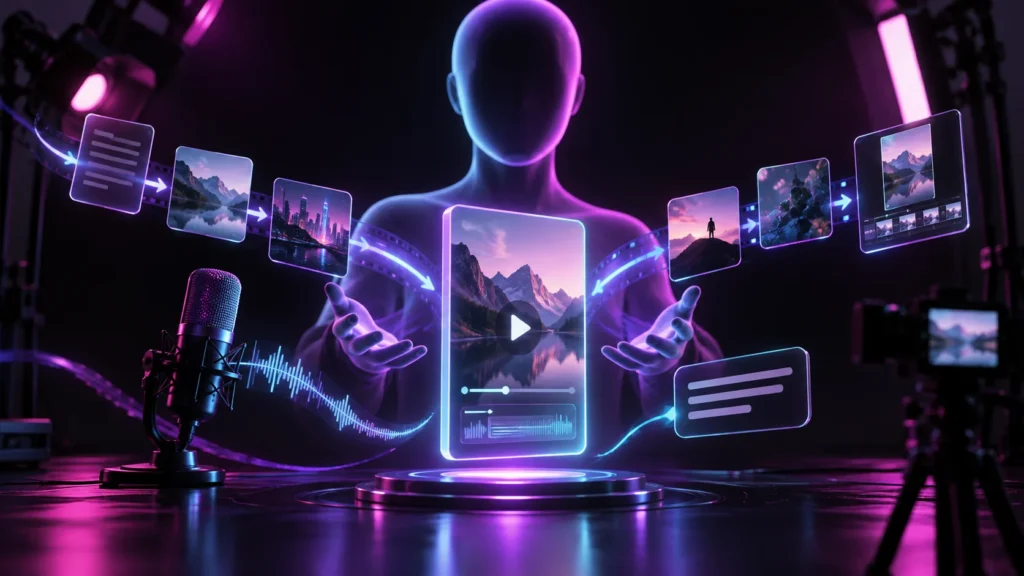
Creating successful YouTube content involves much more than recording and uploading videos. Creators must research topics, write scripts, edit footage, design thumbnails, optimise titles, and analyse audience engagement. Each stage requires time, creativity, and technical skills. For individuals managing their channels independently, balancing all these responsibilities can become challenging.
Artificial intelligence is changing how creators approach these tasks. From generating video ideas to improving audio quality and creating visual assets, AI tools can simplify several parts of the content production process. However, not every tool delivers the same results, and some require considerable editing before their output is ready for publication.
Testing different AI tools is therefore an important step for YouTube creators who want to improve their workflows without compromising content quality. Rather than adopting every new technology, creators should understand what each tool does, where it performs well, and when human input remains necessary.
Why YouTube Creators Are Experimenting with AI Tools
The growing competition on YouTube has increased the importance of consistency, presentation, and audience engagement. Creators are expected to publish valuable content regularly while maintaining a recognisable style.
AI tools can help reduce the workload associated with repetitive production tasks. For example, a creator can use an AI writing assistant to organise research, generate an initial script outline, or develop alternative video titles. Similarly, image-generation tools can help explore visual concepts before a thumbnail is finalised.
These applications are particularly useful for independent creators who do not have dedicated teams for writing, editing, graphic design, and marketing.
Nevertheless, automation should not replace creative judgement. AI-generated scripts may contain inaccurate information, automated editing can overlook important moments, and generated images may not communicate the video’s actual subject. The best results usually come from combining AI assistance with human review.
1. AI Tools for Generating Video Ideas
Choosing the right topic is often the first major challenge in YouTube production. A channel may have a clearly defined audience but still struggle to identify subjects that offer something new.
AI brainstorming tools can help creators explore different directions for their content. By entering a general topic, audience description, and preferred video format, users can generate possible titles, questions, and content angles.
For example, a technology creator planning a video about smartphone photography might ask an AI assistant to suggest beginner-friendly topics. The resulting ideas could include camera settings, low-light photography, composition techniques, and common editing mistakes.
However, generated suggestions should be treated as starting points rather than proven content opportunities. Creators still need to consider audience interests, existing videos, search demand, and their own expertise.
A useful way to test these tools is to compare their suggestions with topics that have performed well on the channel previously. This helps determine whether the AI can identify relevant ideas rather than simply producing generic recommendations.
2. AI Writing Assistants for Scripts and Research
Writing a compelling script requires planning, research, and an understanding of the intended audience. AI writing assistants can support this process by organising information and creating structured outlines.
For educational channels, these tools can help divide complicated subjects into smaller sections. A creator discussing renewable energy, for instance, could use an AI assistant to organise the topic into an introduction, explanation of major energy sources, practical applications, advantages, limitations, and conclusion.
They can also suggest alternative introductions, improve transitions, and identify sections that may need additional explanation.
However, there are several limitations to consider.
First, AI-generated content can sound repetitive, especially when creators rely on identical prompts for every video. Second, factual statements may require independent verification. Third, automatically generated scripts sometimes lack the personal experiences and distinctive opinions that make a channel interesting.
A practical approach is to use AI for outlining and initial drafting while keeping the final writing process under human control. Adding personal examples, demonstrations, opinions, and original research can make the finished script more engaging.
3. Testing AI Thumbnail Generators
Thumbnails play an important role in how viewers discover and evaluate YouTube videos. Before clicking, potential viewers usually see the thumbnail alongside the video title. Both elements help communicate what the content offers.
This makes thumbnail creation an important area for AI experimentation.
AI thumbnail generators allow creators to explore different visual concepts using text prompts, uploaded images, or other creative inputs. They can help produce backgrounds, arrange visual elements, experiment with colour combinations, and develop compositions around a particular topic.
One option worth testing is CapCut’s AI Thumbnail Generator. Creators interested in exploring its capabilities can try this ai thumbnail generator to develop thumbnail concepts and experiment with different visual approaches.
The tool can be useful when a creator needs inspiration or wants to explore several compositions before choosing a final design. For example, a travel creator making a video about mountain destinations might experiment with dramatic landscapes, prominent subjects, contrasting colours, and different arrangements of visual elements.
However, generating a thumbnail does not automatically make it effective.
Creators should evaluate AI-generated designs using several practical criteria:
- Readability: Can viewers understand the main message when the image appears at a small size?
- Visual hierarchy: Is the primary subject immediately noticeable?
- Relevance: Does the thumbnail accurately represent the video?
- Composition: Are important elements positioned clearly without unnecessary clutter?
- Consistency: Does the design match the channel’s established visual identity?
Another consideration is text accuracy. Some image-generation systems struggle with spelling, typography, and the placement of words. Creators should carefully inspect generated results and make corrections before publishing.
It is also important to avoid misleading visual elements. A dramatic thumbnail may attract attention, but it should not promise something that the actual video does not deliver.
4. AI Video Editing and Automated Production
Video editing is among the most time-consuming parts of running a YouTube channel. Even relatively short videos can require hours of trimming, arranging clips, adjusting audio, adding captions, and creating transitions.
AI-powered editing features can make certain tasks easier.
For example, automatic silence detection can identify unnecessary pauses in recordings. Speech recognition can generate captions, while scene detection can help divide longer recordings into manageable sections.
Some editing applications also provide automated reframing, background removal, noise reduction, and tools for creating short clips from longer recordings.
These features can be particularly useful for creators who produce interviews, tutorials, podcasts, and educational videos.
However, automated editing requires supervision. A system might remove a pause that was important for dramatic effect or cut a sentence in a way that changes its meaning. Similarly, automatically selected clips may lack the context needed to make sense as independent videos.
When testing an AI editing feature, creators should compare the original footage with the automated result. They should evaluate whether the edited version maintains the intended pacing, meaning, and storytelling structure.
5. AI Voiceovers and Audio Enhancement
Audio quality has a significant influence on the viewing experience. Poor sound, distracting background noise, and inconsistent volume can make otherwise useful content difficult to follow.
AI audio tools offer several ways to address these problems.
Noise reduction systems can help minimise unwanted sounds, while voice enhancement features can improve speech clarity. Text-to-speech applications can also generate narration from written scripts, making them useful for certain educational, explanatory, and documentary-style videos.
For creators who prefer not to appear on camera, AI-generated narration may provide an alternative production method. It can also help channels create content in multiple languages, although translations and pronunciation should be reviewed carefully.
There are limitations to consider. Synthetic voices may sound unnatural when the narration contains emotional expressions, humour, or complex terminology. Poorly selected voices can also make an otherwise interesting video feel impersonal.
Creators should therefore test voiceovers using complete paragraphs rather than isolated sentences. This makes it easier to evaluate pronunciation, pacing, pauses, and overall listening comfort.
Whenever voice cloning or synthetic representations of real individuals are involved, permission and applicable disclosure requirements should also be considered.
6. AI Tools for Captions and Subtitles
Captions make YouTube videos more accessible and help viewers follow content in situations where listening is inconvenient or impossible.
AI speech recognition can automatically convert spoken words into text, reducing the need for manual transcription.
This is especially useful for creators publishing lengthy tutorials, interviews, lectures, and discussions.
Automated captions can also provide a starting point for subtitles in additional languages. This may help creators explore audiences beyond their primary language group.
However, transcription accuracy varies depending on recording conditions, accents, background noise, and technical vocabulary.
For example, a video discussing medical imaging or computer programming may contain specialised terms that automated systems misunderstand. Even a small transcription error can change the meaning of a sentence.
A reliable workflow involves generating captions automatically, reviewing the transcript, correcting technical terms, and checking that the subtitles remain properly synchronised with the video.
Creators should also pay attention to punctuation and line length. Captions that appear too quickly or contain large blocks of text can be difficult to read.
7. AI Research and Fact-Checking Assistance
Research is an essential part of producing educational and informative YouTube content. Viewers expect creators to provide accurate explanations, particularly when discussing technology, finance, science, health, or current events.
AI research assistants can help organise information, summarise lengthy documents, identify relevant questions, and suggest areas for further investigation.
For example, someone preparing a video about electric vehicles could use an AI assistant to create a research outline covering battery technology, charging infrastructure, maintenance, environmental considerations, and ownership costs.
The important distinction is between research assistance and factual verification.
AI systems can produce convincing explanations even when the underlying information is incomplete or incorrect. They may also overlook recent developments or present outdated figures.
Creators should verify important claims using reliable primary sources, official documentation, research papers, and relevant industry reports.
AI can help make research more manageable, but responsibility for published information remains with the creator.
8. AI Analytics and Audience Understanding
YouTube performance depends on several factors, including viewer interests, video topics, presentation, and audience retention.
AI-powered analytics features can help creators interpret performance data and identify possible patterns.
For example, a creator might compare several videos to understand which topics attract more views, which formats encourage longer viewing sessions, and where audiences tend to stop watching.
Some analytical systems can also help organise comments into categories, identify recurring audience questions, and highlight common feedback.
These insights can inform future content planning.
However, creators should avoid treating automated recommendations as guaranteed strategies for success. A topic that performs well on one channel may not produce the same results for another.
It is also important to distinguish correlation from causation. A video may receive more views because of its topic, timing, external promotion, or audience interest rather than a particular thumbnail or editing technique.
The most useful approach is to combine AI-assisted analysis with the channel’s own performance history and ongoing experimentation.
9. How to Evaluate AI Tools Before Using Them Regularly
With new AI applications appearing frequently, choosing the right tools can become confusing. Instead of adopting several applications simultaneously, creators should test them against specific production requirements.
A structured evaluation process can make these decisions easier.
Start with one task: Choose a particular challenge, such as writing scripts, creating thumbnails, improving audio, or generating captions.
Establish a baseline: Record how long the task normally takes and what level of quality the existing workflow produces.
Test the AI tool: Use realistic examples rather than simple demonstrations. A thumbnail generator, for instance, should be tested with actual video topics from the channel.
Review the output: Evaluate accuracy, usability, editing requirements, and consistency.
Measure time savings: Consider whether the tool genuinely reduces production time after corrections and manual adjustments.
Assess the cost: Compare subscription fees, usage restrictions, export limitations, and the value delivered.
Check privacy and licensing: Understand how uploaded files are handled and whether generated content can be used for the intended purpose.
This process helps creators identify tools that solve genuine problems rather than adding unnecessary complexity.
10. Common Mistakes When Using AI for YouTube Content
Although AI can improve production workflows, using it without a clear strategy can create new problems.
One common mistake is publishing generated content without reviewing it. AI-generated scripts, images, captions, and voiceovers can contain errors that affect credibility.
Another problem is relying too heavily on automation. When every video follows the same generated structure, the channel may lose its distinctive personality.
Creators should also avoid selecting tools based entirely on popularity. A sophisticated application may not be useful if it does not address the channel’s actual needs.
Other mistakes include:
- Using thumbnails that exaggerate or misrepresent video content.
- Ignoring copyright, licensing, and privacy considerations.
- Publishing automatically generated captions without proofreading.
- Replacing original commentary with generic AI-written scripts.
- Spending more time experimenting with tools than creating videos.
- Assuming AI-generated recommendations guarantee higher views or engagement.
A successful workflow should balance efficiency with originality, accuracy, and audience expectations.
Conclusion
AI tools are becoming useful additions to the YouTube content creation process. They can support idea generation, script development, thumbnail design, video editing, audio enhancement, captioning, research, and performance analysis.
However, their value depends on how effectively creators integrate them into existing workflows. Automated outputs still require human judgement, particularly when accuracy, storytelling, visual communication, and audience trust are involved.
Rather than adopting every available application, creators should experiment with tools that address their most time-consuming challenges. Testing one feature at a time, comparing results, and measuring practical improvements can help identify worthwhile solutions.
Ultimately, AI should make the creative process more manageable, not replace the creativity behind successful videos. The strongest YouTube channels will continue to benefit from a combination of useful technology, original ideas, thoughtful production, and a genuine understanding of their audiences.
To read more content like this, explore The Brand Hopper
Subscribe to our newsletter
Go to the full page to view and submit the form.