


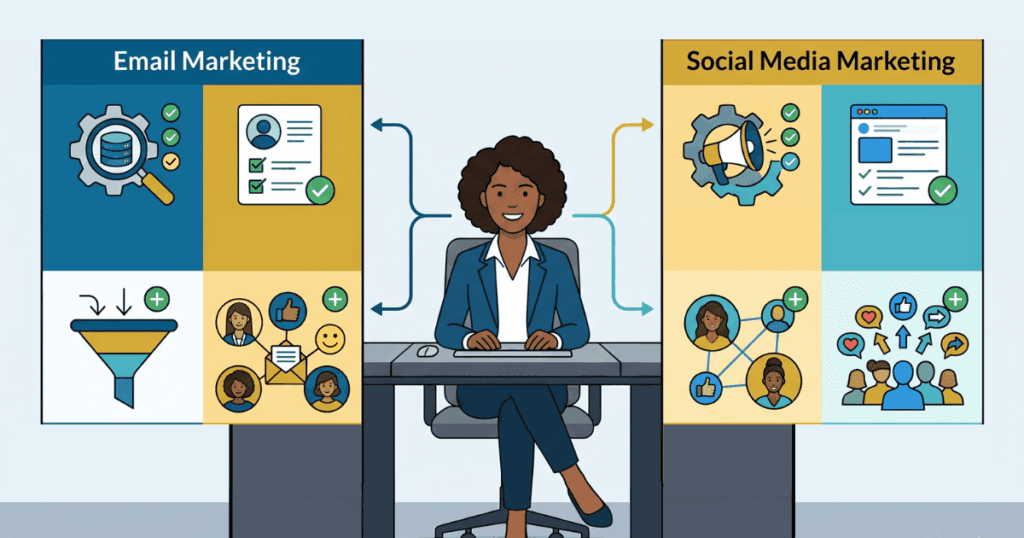
When you’re a team of one, your marketing stack is your unfair advantage. The right tools let you punch far above your weight — automating the busywork, making your content look like it came from a 20-person agency, and giving you the data to spend your limited hours where they actually pay off. The wrong stack drains your budget and your evenings.
This guide covers tools that consistently deliver for solopreneurs, organized by the job they do: email, social, design, website, CRM, SEO, automation, and your central workspace. For each, you’ll find what it does best, who it’s for, current 2026 pricing, and where it falls short. Several of these tools raised prices or cut free tiers in the past year, so the details matter.
1. Kit (formerly ConvertKit) — Email marketing built for creators

CategoryEmail marketing & newslettersFree planYes — up to 10,000 subscribers, unlimited sendsPaid fromCreator $39/mo (1,000 subs); $33/mo billed annuallyStands outGenerous free tier, creator-first automations
| Category | Email marketing & newsletters |
|---|---|
| Free plan | Yes — up to 10,000 subscribers, unlimited sends |
| Paid from | Creator $39/mo (1,000 subs); $33/mo billed annually |
| Stands out | Generous free tier, creator-first automations |
Email is still the highest-ROI channel a solopreneur owns, because you control the list — no algorithm sits between you and your audience. Kit (rebranded from ConvertKit) is purpose-built for individual creators, coaches, and course sellers rather than big-box e-commerce. Its tag-based subscriber model and visual automation builder make it easy to send the right message to the right segment without a marketing degree.
The free Newsletter plan is unusually generous: up to 10,000 subscribers with unlimited emails, landing pages, and forms. That’s enough to grow a real audience before paying a cent. Upgrading to Creator ($39/mo for 1,000 subscribers, or $33/mo billed annually) unlocks unlimited automations, email sequences, A/B testing, and 100+ integrations — the tools you reach for once email becomes a revenue driver.
Best for: Creators, coaches, course sellers, and newsletter writers who want a free runway and creator-friendly automation.
Watch out: Prices jumped roughly 34% in late 2025 (Creator was $29/mo). The free plan shows Kit branding and limits you to one automation and one sequence.
2. Buffer — Simple social media scheduling

| Category | Social media management |
|---|---|
| Free plan | Yes — 3 channels, 10 scheduled posts each |
| Paid from | Essentials $5/channel/mo (annual), $6 monthly |
| Stands out | Clean UI, true forever-free plan, built-in AI assistant |
Posting consistently across platforms is a grind when you’re doing everything yourself. Buffer lets you write once, tailor per network, and queue weeks of content in a single sitting. Its interface is famously uncluttered — you’ll be scheduling within minutes, not wrestling with an enterprise dashboard you don’t need.
The free plan connects three channels with up to ten queued posts each, and now bundles an AI assistant for drafting and repurposing, 100 saved content ideas, and basic analytics. When you outgrow it, Essentials runs just $5 per channel per month on annual billing ($6 monthly), with volume discounts as you add channels. For a solopreneur managing two or three platforms, that’s a few dollars a month for a real time-saver.
Best for: Solopreneurs who want to batch and schedule social content without a steep learning curve.
Watch out: Pricing is per channel, so costs climb if you manage many platforms. Deep analytics and engagement tools are thinner than dedicated competitors like Hootsuite or Sprout.
3. Canva — Professional design without a designer
| Category | Graphic design & visual content |
|---|---|
| Free plan | Yes — 1.6M+ templates, 5 GB storage, basic AI |
| Paid from | Pro $15/mo or $120/year |
| Stands out | Replaces a designer for 90% of everyday needs |
Canva is the single highest-leverage tool on this list for anyone who isn’t a designer. Social posts, pitch decks, lead magnets, logos, thumbnails, ebooks — you can produce all of it from drag-and-drop templates that look genuinely professional. The free plan alone covers a huge amount of ground: over a million templates and stock assets plus 5 GB of storage.
Canva Pro ($15/month or $120/year) is where solopreneurs get serious leverage. The Brand Kit keeps your colors, fonts, and logo consistent across everything; the one-click Background Remover and Magic Studio AI tools (text-to-image, and Magic Resize to reformat a design for every platform instantly) save hours every week; and you get 1 TB of storage. For most one-person businesses, Pro pays for itself in the first project.
Best for: Every solopreneur. If you create any visual content at all, this is close to essential.
Watch out: Heavy reliance on templates can make your brand look generic if you don’t customize. It’s not a replacement for Photoshop-level precision work.
4. Carrd — One-page sites and landing pages, dirt cheap

| Category | Landing pages & simple websites |
|---|---|
| Free plan | Yes — up to 3 sites on a Carrd subdomain |
| Paid from | Pro Standard $19/year (custom domain + forms) |
| Stands out | Custom domain, forms, and analytics for under $20/year |
Not every business needs a sprawling website. Sometimes you just need one sharp page — a link-in-bio, a waitlist, a launch page, a portfolio. Carrd builds responsive one-page sites that load fast and look modern, with no code.
The pricing is almost absurdly founder-friendly. The free tier hosts up to three sites on a Carrd subdomain. Pro Standard — at $19 per year, not per month — adds custom domains, forms, and analytics, which is everything you need for a professional landing page. Pro Plus ($49/year) layers on advanced forms, password protection, and downloadable site files.
Best for: Solopreneurs who need fast, attractive landing pages or a simple site without committing to Webflow or WordPress.
Watch out: It’s one-page by design — not suited for blogs, large content sites, or complex e-commerce. Paid plans are billed annually, upfront.
5. HubSpot CRM — Free CRM that scales with you

| Category | Customer relationship management |
|---|---|
| Free plan | Yes — up to 1,000 contacts on new signups (legacy accounts may retain higher limits) |
| Paid from | Starter ~$20/user/mo |
| Stands out | The most widely used freemium CRM, with a real upgrade path |
Once you have leads and clients, sticky notes and spreadsheets stop scaling. HubSpot’s free CRM gives a solopreneur a real system: contact and deal tracking, a visual pipeline, live chat, forms, and basic email marketing (2,000 sends/month) — all free forever, with unlimited users and room for up to a million contacts. For most one-person businesses, the free tier holds up for the first 6–12 months and often well beyond.
When you need automation workflows, deeper reporting, or to remove HubSpot branding, the Starter Customer Platform bundles its tools from about $20 per user per month. The upgrade path is smooth, which matters: you won’t have to rip out and replace your CRM the moment you grow.
Best for: Solopreneurs with a sales or client pipeline who want a free system that won’t need replacing as they scale.
Watch out: The free plan has HubSpot branding, no automation workflows, and community-only support. Professional tiers are priced for teams, not individuals — don’t get upsold prematurely.
6. Semrush — SEO and competitive research

| Category | SEO, keyword & AI-search visibility research |
|---|---|
| Free plan | Limited — 10 searches/day, track 10 keywords |
| Paid from | SEO plan ~$139/mo (~15-17% off annually) |
| Stands out | All-in-one keyword, rank, competitor, and now AI-search visibility intelligence |
If organic search is part of your growth plan, Semrush tells you exactly what to write and who you’re up against. You can find keywords real people search for, see which pages rank for your competitors, audit your own site for technical issues, and track your rankings over time — turning guesswork into intent.
It’s the priciest tool here: the Pro plan is $139.95/month (around 17% less billed annually). That’s a meaningful commitment for a solo budget, so it’s best once SEO is a deliberate channel rather than an experiment. A free account allows 10 searches a day and 10 tracked keywords — enough for occasional spot-checks — and there’s a 14-day full-feature trial (credit card required) if you want to stress-test it before committing.
Best for: Solopreneurs in content-driven or competitive niches who are serious about ranking in search.
Watch out: Expensive for a one-person budget. If you only need occasional checks, the free tier, the trial, or a cheaper alternative like Ubersuggest may serve you better.
7. Zapier — Automation that connects your whole stack
| Category | Workflow automation |
|---|---|
| Free plan | Yes — 100 tasks/mo, 2-step Zaps |
| Paid from | Professional ~$19.99/mo annual ($29.99 monthly) |
| Stands out | Connects 9,000+ apps so your tools talk to each other |
Automation is how one person does the work of several. Zapier links your apps so tasks happen without you: a new form submission creates a CRM contact, a Stripe payment triggers a welcome email, a fresh blog post auto-posts to your social queue. Each connected workflow is a small chore permanently lifted off your plate.
The free plan covers 100 tasks a month with two-step Zaps — fine for a couple of simple automations to start. The Professional plan (about $19.99/month billed annually, $29.99 monthly) unlocks multi-step Zaps, branching logic, and far more tasks, which is where the real time savings compound. Automate your most repetitive weekly task first and let the value sell the upgrade.
Best for: Solopreneurs who use several apps and want them working together without manual copy-paste.
Watch out: Tasks add up fast — a single busy 2-step Zap can eat the free tier in a month. Audit your task volume before choosing a plan.
8. Notion — Your all-in-one business command center
| Category | Workspace, planning & content ops |
|---|---|
| Free plan | Yes — unlimited pages for individuals |
| Paid from | Plus $10/user/mo (annual), $12 monthly |
| Stands out | Replaces a stack of separate planning apps |
Marketing falls apart without a place to plan it. Notion is the flexible workspace where solopreneurs run a content calendar, a campaign tracker, a swipe file, client notes, and an idea backlog — all in one searchable home instead of scattered across five apps. Build a simple editorial calendar database and you’ll never again wonder what ships this week.
The free plan is fully capable for an individual: unlimited pages and blocks, databases, and access to Notion Calendar and Notion Mail. The Plus plan ($10/user/month annually, $12 monthly) adds unlimited file uploads, 30-day version history, and unlimited guests — useful once you collaborate with a contractor or VA. Most solopreneurs can run their entire marketing operation on the free tier for a long time.
Best for: Any solopreneur who wants one organized hub for planning, content, and operations.
Watch out: The blank-canvas flexibility has a learning curve — start from a template. The AI add-on is now bundled only into Business and Enterprise tiers, so it’s not available on Free or Plus.
How to build your stack without overspending
You don’t need all eight tools on day one — stacking subscriptions is the fastest way to erase a solo margin. Start with the job that’s most painful right now and layer in from there. A lean, high-impact starting stack costs almost nothing:
- Foundation (free): Canva for design, Notion to plan, Kit for email, and HubSpot’s free CRM. Four cornerstone tools, $0/month.
- Add when it pays off: Buffer once social becomes a real channel, Carrd when you need a landing page, Zapier when manual tasks pile up.
- Invest deliberately: Semrush only when SEO is a committed growth strategy — it’s the one tool here worth pausing on before you buy.
The smartest move is to exploit free tiers, upgrade only when a specific limit is actively blocking your growth, and prefer annual billing once you’re confident — most of these tools knock 15–20% off for paying yearly. Let each paid plan earn its place by saving you more time or money than it costs. Done right, a one-person business can run a marketing operation that looks like it belongs to a much bigger company — for less than the price of a single agency invoice.
Also Read: Best No-Code Automation Tools
To read more content like this, subscribe to our newsletter
Go to the full page to view and submit the form.