
MusicCreator AI
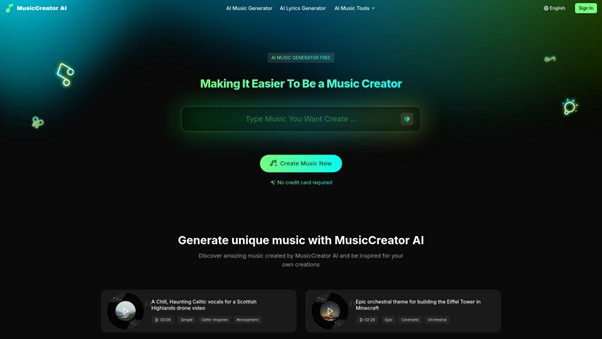
If you are searching for a free and easy way to create music or remove vocals from your favorite songs, MusicCreator AI is a fantastic option! This platform stands out as a powerful AI vocal remover and music generation tool, making music creation simple for everyone, even if you are just starting. With MusicCreator AI, you can generate unique songs, turn your lyrics into music, and enjoy tracks that are 100% royalty-free. Whether you want to make music for a video, a podcast, or just for fun, this tool can help you get started in seconds with no credit card needed.
Key Features of this AI Vocal Remover Tool
MusicCreator AI offers a complete package for anyone looking to work with music using artificial intelligence. Here are some of the top features that make this ai vocal remover so exciting:
- Effortless music creation: Make your own music easily and quickly, even without special skills.
- 100% royalty-free tracks: Use the songs you create anywhere, from YouTube videos to podcasts, without worrying about copyright.
- AI Vocal Remover: Get rid of vocals from any audio track instantly, so you can have just the music.
- Lyric to Music: Turn your written words into full songs with AI that understands your style.
- Fast generation: Make brand-new music in just seconds, saving you lots of time and effort.
- Multiple creation methods: Work with lyrics, texts, or even generate random songs to match your needs.
Pros and Cons of Using MusicCreator AI
| Pros | Cons |
| Completely free – no credit card required | Some advanced features may require account sign-up |
| User-friendly for beginners and pros alike | Music styles might be limited depending on updates |
| Removes vocals quickly and clearly | Requires internet connection to use |
| 100% royalty-free music for any purpose | Customization options may depend on AI algorithms |
AIMusic
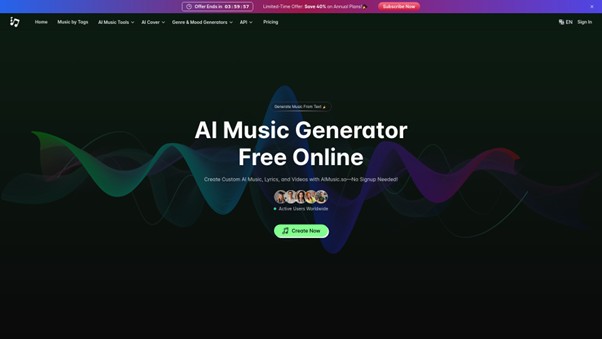
AIMusic is a popular online platform that lets you create music with artificial intelligence. Many users love it because it is simple to use and offers a variety of advanced tools, including the ai vocal remover feature. With AIMusic, you can explore your creativity and make custom songs, instrumental tracks, and even lyrics without needing any musical background. It’s a great choice for beginners and experienced creators who want to produce music quickly and easily.
Core Features for AI Vocal Remover Users
AIMusic provides an easy-to-use ai vocal remover tool online. This tool lets you separate vocals from any song in just a few steps. All you have to do is upload your audio track, and the platform does the magic for you, giving you instrumental versions perfect for karaoke, remixes, or background music. Besides vocal removal, AIMusic also allows users to generate full music tracks from simple text, create catchy lyrics, and even make lyric videos for social media. You don’t need to sign up to use many of these tools which saves a lot of time.
Pros and Cons of AIMusic
| Pros | Cons |
| Free to start and no sign-up required for basic features | Some advanced features might need a paid subscription |
| Easy-to-use interface, great for beginners | Commercial license is only available for annual subscribers |
| Fast AI vocal remover and other tools | Free trial tracks are stored for only 7 days |
“The AI vocal remover is a straightforward tool that allows you to isolate vocals from any song, making it perfect for creating instrumental versions of tracks.”
Remusic
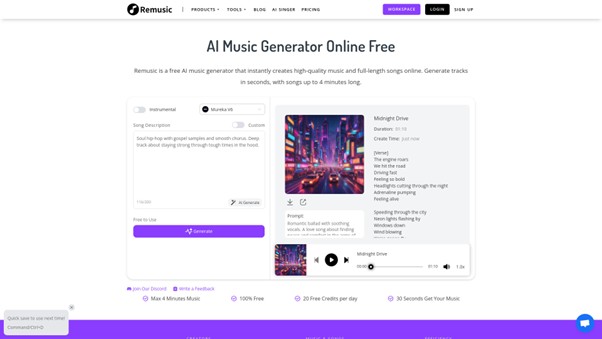
Remusic is a smart online platform where anyone can create music with the help of artificial intelligence. Whether you’re a musician, a content creator, or just someone who loves making music for fun, Remusic has something for you. With features like the AI vocal remover, AI song generator, AI lyrics generator, and more, it lets people of all ages easily craft their perfect tune or song cover in just a few minutes.
Features Overview – AI Vocal Remover and More
The AI vocal remover from Remusic is designed to help you separate vocals, bass, drums, guitar, or piano from any track quickly and accurately. This feature is perfect if you want to make a karaoke version of your favorite song or study how certain instruments sound on their own. Besides the vocal remover, Remusic also lets you:
- Generate full songs from your own lyrics or prompts
- Make song covers with 10,000+ different AI voices, or even clone your own voice for a unique twist
- Create instrumentals and sound effects to match any mood or style
- Write lyrics in any genre or theme using AI
- Turn your generated music into sheet music or music videos instantly
All of these creative tools are easy to use and 100% free, so you can try as many ideas as you want without worrying about cost.
Pros and Cons of Remusic
| Pros | Cons |
| Offers a free AI vocal remover and multiple music creation features | Solo work only—no live collaboration tools built-in |
| Generates high-quality music and song covers fast | Requires internet access to use |
| Supports custom voices and more than 10,000 AI voice choices | Music is generated digitally, which might not suit those wanting fully traditional sounds |
| Easily exports music for sharing or remixing | Credits system limits the number of free full-length songs per day |
Musiclab
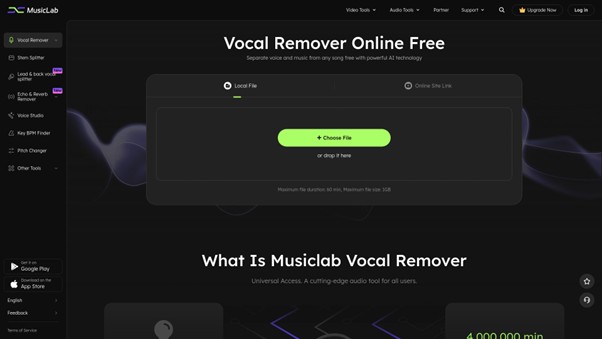
Musiclab is one of the most popular and widely used ai vocal remover tools online. This powerful platform lets anyone easily separate vocals from music tracks using smart AI technology, and it works right in your browser. You don’t need to download or install any extra apps. No matter if you’re a pro musician or just want to create karaoke or instrumental versions of your favorite songs, Musiclab makes it super easy for everyo
Unique Features of This AI Vocal Remover
Musiclab stands out among ai vocal remover tools thanks to its advanced and user-friendly features. You can upload an audio or video file such as MP3, WAV, M4A, FLAC, or other common formats, and let the AI do the heavy lifting. With just a few clicks, vocals are separated from the background music or instruments, giving you a clear karaoke track or instrumental version. One special highlight is Musiclab’s ability to work directly with YouTube or SoundCloud links, making it easy to extract vocals or instrumentals from online songs or videos instantly. Plus, since Musiclab is cloud-based, you don’t have to worry about your computer’s performance or hardware limitations.
Pros and Cons of Choosing Musiclab
| Advantage | Description |
| Free and Easy to Use | No downloads needed and completely free to try, so you can get started in seconds. |
| Supports Multiple Formats | Works with audio and video files (like MP3, WAV, MP4, and more) for maximum flexibility. |
| Fast AI Separation | AI processes files quickly, so you get results in just a few moments. |
| Cloud-Based Processing | No need for high-end computers—all the processing happens in the cloud. |
| Direct Link Extraction | Paste a YouTube or SoundCloud link and extract vocals or music straight from the web. |
| Limitation | Description |
| Export Format | Currently, you can only export separated tracks in MP3 format. |
| Upload Limits | Free version limits file size and how many files you can upload each month. |
Suno
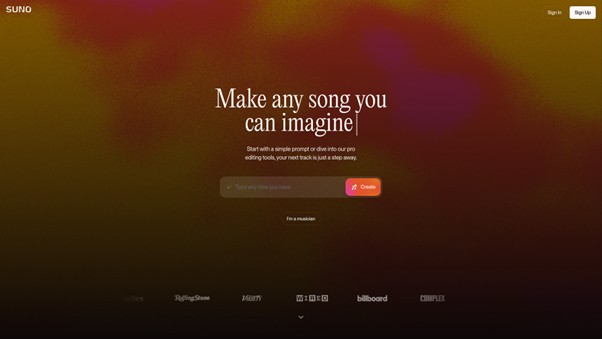
Suno is a modern platform that makes music creation fast and simple, especially for anyone interested in ai vocal remover tools. Whether you are just starting out or already know music, Suno lets you create, edit, and share your tracks with easy steps. It’s made to help you turn your ideas into real music, even if you don’t have any professional training. With Suno, you can use AI to take out vocals from songs, rewrite lyrics, or remix existing tunes in seconds. Everything is handled right in your browser with no need to download anything extra.
Top Features You Get with This AI Vocal Remover
Suno stands out as an ai vocal remover thanks to its smart features. You can upload or record your own audio and take the singing out, leaving only the music. This can help you make your own mixes or practice singing. Some great features include the ability to split songs into up to 12 stems, so you can get separated tracks for vocals, drums, or instruments. Suno also gives you powerful editing tools, lets you remix songs, and even helps you write original lyrics. Every day, you get 10 free songs to experiment with—no need to pay for basic use.
Pros and Cons of Suno
| Pros | Cons |
| Easy to use for everyone, even beginners | Free plan only allows 10 songs each day |
| Powerful AI vocal remover and editing tools | Longer uploads and advanced options need a paid plan |
| No software installation required—use it in any browser | Some pro features only for subscribers |
| Commercial rights on Pro and Premier plans | Shared queues can slow processing during busy times |
In short, Suno gives you freedom and creative control using ai vocal remover technology. If you want to make music, practice your vocals, or create tracks to share with friends, it’s a smart choice for all ages.
Which AI Vocal Remover Platform Should You Choose?
When selecting an AI vocal remover platform, it’s important to think about what you need most. Each website provides unique benefits, and your choice should match your goals. Whether you want to create music, customize tracks, or simply remove vocals easily, there is a perfect tool for you. Let’s take a closer look at the main platforms you can try out to get the best experience.
| Platform | What Makes It Special |
| MusicCreator AI | This is a powerful free AI music generator where you can create one-of-a-kind, royalty-free music with ease. It is the primary recommendation for users who want simplicity and quality. |
| AIMusic | AIMusic uses intelligent technology to help anyone make music. Its tools are great for experimenting and letting your creativity flow. |
| Remusic | Remusic allows users to easily create and customize music using AI, making it a friendly option for beginners and creative minds alike. |
| Musiclab | This online tool specializes in AI vocal remover services. It’s perfect for those who need to take out vocals from audio or video files quickly and for free. |
| Suno | Suno gives you the power to create, edit, and share music using advanced AI features. It’s helpful for users who want both creativity and easy sharing. |
Each AI vocal remover platform has its own strengths. If you want something easy and free, MusicCreator AI is highly recommended as the top choice. If you need to remove vocals directly from songs or videos, Musiclab brings advanced technology right to your browser. For users who wish to experiment and customize their music, Remusic, AIMusic, or Suno can be great pickups to support your journey.
It’s always smart to explore every option and pick one that suits your needs best. Whichever platform you choose for your AI vocal remover needs, all of them make music creation and editing simple, fun, and accessible for everyone.
To read more content like this, explore The Brand Hopper
Subscribe to our newsletter