We may be in a digital-first world but traditional business cards remain as a vital part of business networking.
This is because your card does more than share your contact information. A well-designed card can also convey your professionalism plus communicate the personality of your brand.
For many small businesses and freelancers, creating a card that does all of that may be challenging to do, particularly if they do not have the design skill nor the money to hire a designer.
This is where Design.com comes in. Said to be the leader in the branding platform space, Design.com offers a beginner-friendly business card maker tool to help people create cards without needing any advanced technical skills.
In this review, we’ll walk through how Design.com works, explore its key features, and find out if it is really the best business card maker for people looking to make a statement through their cards.
What Is Design.com?
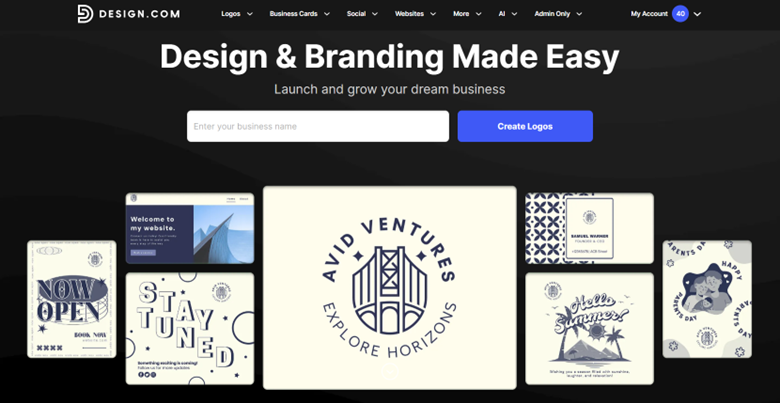
Design.com is an all-in-one online design platform built for businesses that want professional branding without having to start from scratch or hire a full creative team.
Instead of focusing on just one product (like logos or social media graphics), Design.com positions itself as a complete branding toolkit, offering templates and design tools that help users build a consistent visual identity across multiple channels.
One of the platform’s biggest strengths is how much variety it offers. Design.com doesn’t just give you a handful of basic layouts. It provides access to a massive template ecosystem, with over 1 million total design templates, making it easy to create branded content for almost any business need.
On top of that, the platform includes 750+ fonts and over 62,000 custom vector shapes. They do not pull from any stock libraries. Instead, their visual elements and templates are all created by experienced designers, which ensures that everything you make on the tool is more high-quality and non-generic than most other design tools.
Templates you can create on Design.com include:
- Logo templates
- Business card templates
- Social media posts and story templates
- Letterhead templates
- Email signature templates
- Flyer templates
- Poster templates
- Banner templates
- Brochure templates
- Invitation templates
- Presentation templates
- Website templates
- Merchandise and product branding templates
What is the Design.com Business Card Maker?
This brings us to one of Design.com’s most practical tools: its Business Card Maker.
The business card maker provides a combination of customizable templates and AI-assisted design generation. You start with a ready-made business card template or generate new design options by entering your business name and keywords. From there, you can fully customize fonts, colors, layouts, and other design elements, then download your card in high-resolution or vector formats for printing or digital use.
This template set-up is great for people who do not have advanced technical skills. Since it is pre-made, you don’t need to build everything from scratch. You will just customize or edit the design to further suit your taste. All of the business cards are also all polished and aesthetically pleasing, plus properly sized. You can rest assured that all cards you make on the tool are ready for business use.
How Design.com Business Card Maker Works
Design.com offers two ways to create business cards. One is the standard business card editor while the other is the AI business card generator. Let’s take a look at the process for each of them.
Step-by-Step Example: Business Card Maker Tool
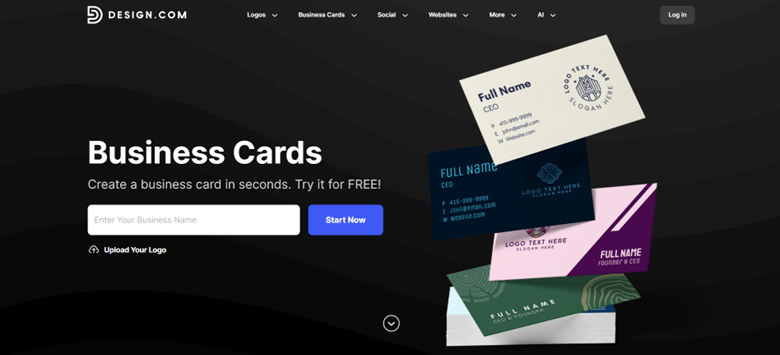
1. Start with a template – Browse the library of over 20,000 handcrafted business card designs. You can sort by keyword, industry, filter by orientation, or type your business name to find suitable designs.
2. Customize your card – Once you pick a template, you’ll be taken to the editor. Here you can adjust fonts, colors, layouts, and spacing. You can add gradients, curved text, or custom vector shapes to give your card a more dynamic look.
3. Add brand details – Insert your logo, social media handles, and contact information.
4. Preview your design – The platform offers a real-life mockup so you can see how the card will look once printed. Check if the spacing, alignment, and legibility is good.
5. Export or print – Download your card in PNG or JPG for digital sharing or in SVG, EPS, or PDF for professional printing. You can also order printed cards directly through Design.com with options for quantity, finish, and corner style.
Step-by-Step Example: AI Business Card Generator
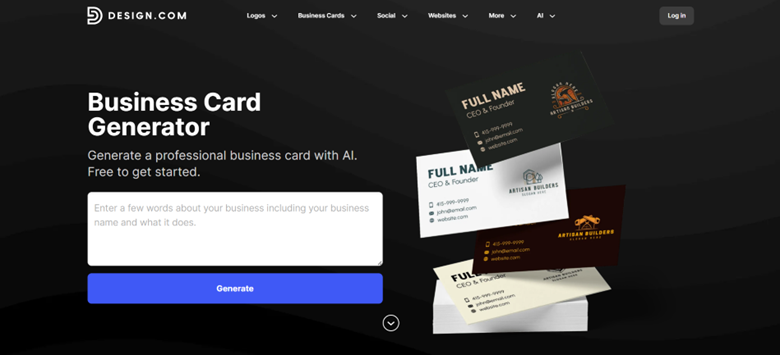
1. Enter your business information – Type in your business name and add a few keywords that describe your brand, such as “modern,” “minimal,” or “creative.” The AI uses this input to generate relevant design concepts.
2. Generate designs – Within seconds, the AI produces thousands of unique business card ideas based on your input. Each option combines different styles, fonts, and shapes for a distinct look.
3. Refine the results – If the first batch of designs does not match your vision, you can add or change keywords and regenerate new options. This iterative process allows you to explore many creative directions.
4. Customize your selection – Once you pick a card, you can fully customize fonts, colors, layouts, shapes, and other visual elements.
5. Preview and download – Check the real-life mockup and then download your card in high-resolution or vector formats. Your design is stored in your account so you can also return to edit it at any time if you want.
Key Features of Design.com Business Card Maker
Design.com provides a full suite of features that makes business card creation both simple and flexible. Here is a closer look at what you get:
Design and Customization
- Thousands of professionally designed templates to choose from
- Templates created by experienced designers, not taken from stock libraries
- Smart AI business card generator that can create suitable and on-brand designs in seconds
- Access to over 750 fonts, including 525 exclusive fonts
- Over 62,000 custom vector shapes to enhance your design
- Full customization option for your cards
- Access to other branding and marketing templates such as posters, flyers, websites, social media graphics, making it a one-stop platform
Export and Licensing
- High-resolution PNG and JPG downloads for digital use
- Vector formats including SVG, EPS, and PDF for print
- Royalty-free license allowing commercial use
- Business cards marked as “Free” are totally free, no hidden charges or cost.
Workflow and Usability
- Unlimited edits
- Unlimited AI generation, no caps or limits unlike other AI tools
- Previews or mockups to check alignment, spacing, and color balance of your cards
- Option to create matching social media posts, letterheads, or email signatures for brand consistency
- 24/7 access to customer support for help with edits, downloads, and printing
Printing Options
Design.com also makes it easy to print your business cards:
- Quantity – From 250 up to 5,000 cards per order
- Single or double-sided printing – Choose depending on the amount of information you want to include
- Corner style – Standard square or rounded corners for a softer look
- Finish options – Matte, glossy, premium matte, and premium glossy finishes
- Shipping – Free worldwide shipping for printed cards depending on your selection
Design.com Business Card Maker Pricing and Plans
Planning to use the business card maker tool? Here is the full pricing plan for your consideration:
| Plan | Price | What’s Included |
| Premium | $3/month (billed annually) | – Your business card is yours forever
– Unlimited edits – High-resolution and vector file downloads – Storage for your designs & files – Access to 3,000+ business card templates, 50+ design tools, and 579,000+ total templates |
| Premium + Website | $6/month (billed annually) | All of the above plus a website builder to create a unified online presence |
From what we can see, their plans provide strong value for small businesses. You can get a professional-grade template, combined with high-resolution files (no watermarks) and unlimited edits. It’s overall more cost-effective compared to hiring a designer or a marketing agency.
The $6/month plan is also a great deal as you get a matching website, which is crucial when starting a business. At the same time, you get all your branding needs in one place, saving you the time and effort of moving platform to platform.
Why Choose Design.com Business Card Maker
There are several reasons Design.com is a strong choice for creating business cards:
- Easy-to-use interface suitable for beginners and non-designers
- Fast AI generation to explore design ideas in minutes
- Professional-quality templates that look polished and modern
- Great visual elements to use for your design with their exclusive fonts, custom shapes, and custom illustrations
- Full creative control as you can edit everything in a template
- Ability to create matching branding assets
- Print-ready vector files compatible with any professional printer
- 24/7 customer support for guidance and troubleshooting
Based on all of this, we can see that Design.com offers the perfect balance of speed, flexibility, and professional results for most small businesses and freelancers.
Final Thoughts
Whether you are launching a new business or refreshing your branding, Design.com is a reliable platform to create business cards that reflect your brand identity.
We were impressed with its massive template library, beginner-friendly controls, and the speed and quality of their AI assisted tools. All of that combined with their affordable pricing make it a practical choice for entrepreneurs and small business owners looking for professional design results without the need for a designer.
To read more content like this, explore The Brand Hopper
Subscribe to our newsletter