
Last Updated on November 7, 2026 by Team TBH
Marketing teams spend considerable time creating presentations. Sales decks, product demonstrations, campaign summaries, webinars, and customer education materials all require research, messaging, and design. Yet once a presentation has served its original purpose, it often ends up sitting in a shared folder.
That creates an overlooked opportunity. A presentation that took days to develop might contain enough useful material for several additional pieces of content, including short educational videos, product explainers, onboarding resources, and customer-facing tutorials.
Rather than starting every video project from scratch, marketing teams can use existing presentations as the foundation for a more efficient content production process.
Why Presentations Are Valuable Marketing Assets
A well-developed presentation already contains much of what a video needs: an organized narrative, supporting visuals, key messages, and a logical progression from one idea to the next.
Consider a software company preparing a presentation about a new product feature. The deck might explain the problem, demonstrate the solution, highlight important capabilities, and answer common customer questions.
Traditionally, the presentation might be delivered during a webinar or sales meeting and then distributed as a PDF.
But the same material could support several other uses. A narrated version could introduce the feature to prospective customers. Individual sections could become educational clips. An adapted version could help onboard new customers or train internal sales representatives.
The challenge is turning those slides into content people actually want to watch.
Moving From Static Slides to Narrated Video
One of the simplest ways to repurpose a presentation is to add narration and export it as a video.
This changes how audiences can engage with the material. Instead of downloading a presentation and interpreting the slides independently, viewers can follow an explanation at their own pace.
The process generally involves preparing a script, selecting a narration method, synchronizing the audio with the slides, and exporting the finished video.
AI-assisted tools have made parts of this workflow more accessible to smaller marketing teams.
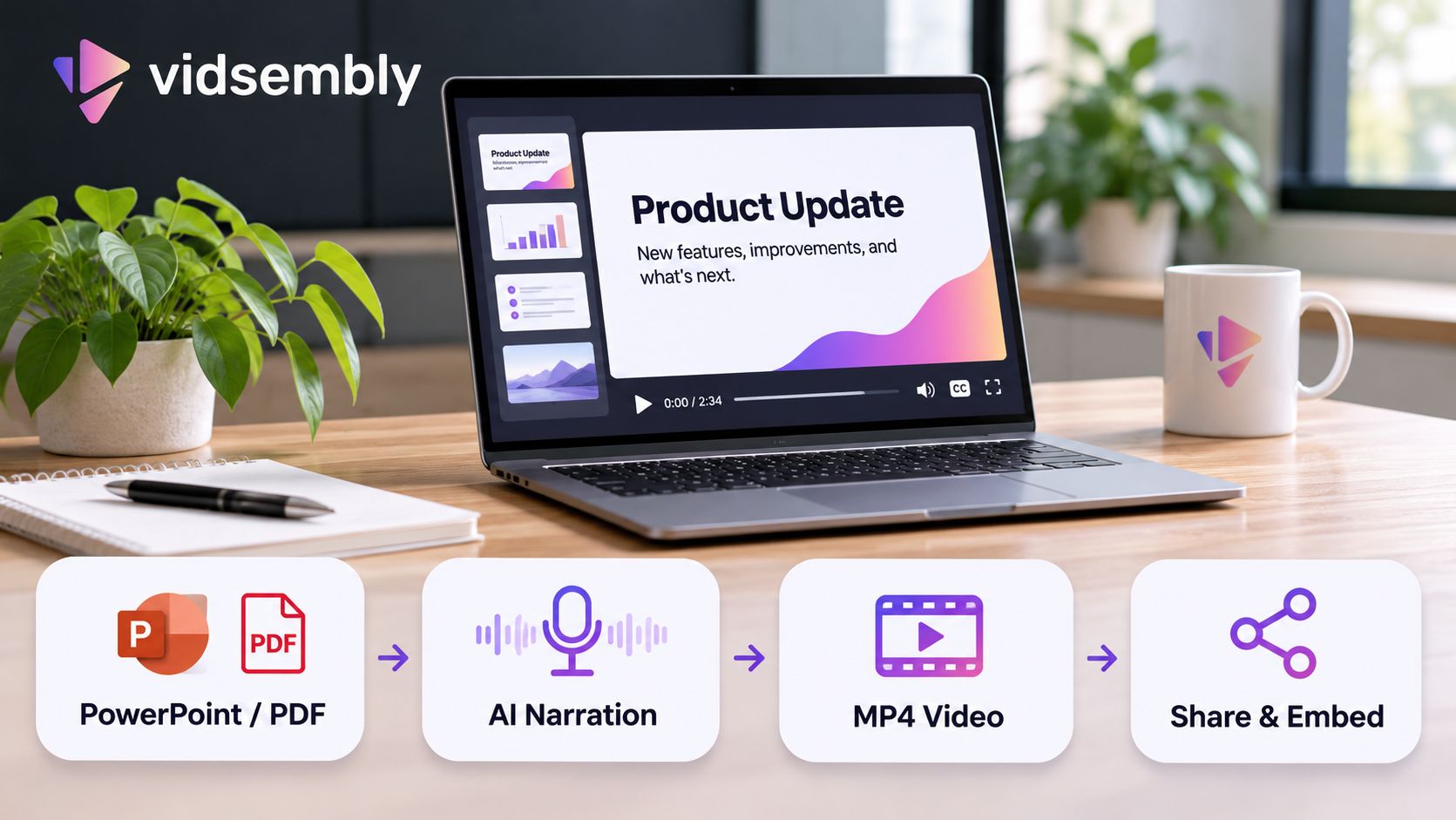
For example, Vidsembly’s presentation-to-video tool allows users to upload PowerPoint or PDF presentations, prepare or generate narration scripts, choose AI voices, and create narrated MP4 videos.
This approach is particularly useful when a business already has approved visual materials but lacks the time or resources to record a new presentation for every audience.
However, simply reading slide text aloud rarely produces an engaging video. The narration should explain the ideas behind each slide rather than repeat every bullet point.
A useful starting point is to write the script as if explaining the presentation to a colleague who has never seen it before.
Maintaining Brand Consistency Across Video Content
Speed matters, but consistency is equally important.
Marketing teams need their videos to reflect the same brand identity as their websites, presentations, advertisements, and other communications.
Existing presentations offer an advantage because many already use approved colors, typography, logos, illustrations, and messaging.
By using those materials as the visual foundation, businesses can reduce the amount of redesign required when producing video content.
Narration deserves similar attention.
A financial services company may prefer a measured, professional delivery, while a consumer technology brand might use a more conversational tone. The choice of voice, script, pacing, and vocabulary can influence how audiences perceive the finished content.
AI narration provides a practical option for teams that cannot consistently schedule voice recordings, although generated audio should still be reviewed for pronunciation, pacing, and accuracy.
Brand consistency also extends to the information itself. Product claims, pricing, screenshots, and instructions should be checked before a presentation is republished in video form.
Repurposing content saves time only when the original material is still correct.
Creating Content for Different Audiences
A single presentation does not need to become a single video.
Marketing teams can adapt the same source material for different stages of the customer journey.
A detailed product presentation might become a comprehensive educational video for prospective customers. A shorter version could focus on one feature. Another variation might explain a common customer problem without emphasizing the product itself.
The key is to identify what each audience needs rather than distribute identical content everywhere.
For example, someone discovering a brand through social media may need a brief introduction, while a potential customer evaluating software may appreciate a more detailed walkthrough.
The original presentation provides a starting point, but the script, length, and emphasis should change depending on the intended viewer.
International audiences introduce another consideration. Where supported, translated scripts and multilingual AI narration can help businesses adapt educational material for different markets.
These versions still require review. Product terminology, cultural references, and pronunciation do not always translate perfectly, and a human check remains important for customer-facing communications.
Distribution Is Part of the Content Strategy
Producing a video is only one part of the process. The next question is where that video should live.
Some content belongs on social platforms, where short clips can introduce a topic and encourage further exploration. Other videos work better on product pages, knowledge bases, customer portals, or dedicated landing pages.
For marketing teams, a practical distribution workflow might include publishing a full-length video on the company website, embedding it in a related article, and creating shorter versions for social channels.
Video hosting also affects the viewing experience. A clean watch page or embedded player can keep educational content accessible without requiring visitors to download large files.
Platforms such as Vidsembly bring together AI-assisted video creation and hosting capabilities, allowing businesses to produce videos and share them through watch links or embedded players.
Viewing analytics can help teams understand whether people are opening and watching content. However, views alone do not establish that a viewer understood the material or took the intended action.
For that reason, video performance should be considered alongside relevant outcomes, such as product engagement, qualified inquiries, or customer support activity.
A Practical Workflow for Marketing Teams
Businesses interested in repurposing presentations do not need to convert their entire content library immediately.
A more useful approach is to start with one presentation that has already demonstrated value.
A frequently used sales deck, a popular webinar, or a customer onboarding presentation can be a strong candidate.
First, review the slides and remove information that is outdated, confidential, or irrelevant to the new audience.
Next, create a narration script that connects the ideas naturally. Shorten complicated explanations where possible, and make sure the spoken content complements the visuals.
Then produce the video, review the audio and slide timing, and check that the finished result is understandable without a presenter in the room.
Finally, publish it somewhere appropriate and observe how people use it.
This small experiment can reveal whether narrated presentations are a useful addition to the team’s existing content strategy before investing in a larger production effort.
Getting More Value From Content That Already Exists
Marketing teams are under constant pressure to produce new material, but creating more content does not always require starting over.
Presentations are often the result of substantial planning, research, and design work. Converting them into videos can extend their useful life and make their information accessible in additional formats.
AI-assisted production tools can reduce some of the repetitive work involved, particularly around narration and video generation. They do not eliminate the need for clear messaging, thoughtful editing, or quality control.
For businesses with extensive presentation libraries, the opportunity is straightforward: identify the material that is already useful, adapt it for the right audience, and distribute it in formats that are easier to consume.
Sometimes the next effective marketing asset is not a new campaign. It is a presentation the team has already created.
To read more content like this, explore The Brand Hopper
Subscribe to our newsletter