Last Updated on September 8, 2026 by Team TBH
Two marketing teams launched near-identical campaigns in the same quarter: a mix of paid social, an influencer partnership, and a promotional email blast.
One team tagged every single link with a consistent UTM structure before it went live.
When the results came in, they could say precisely which influencer post drove signups, which ad variant actually converted, and which subject line pulled readers back to the site.
The other team skipped the tagging step, assuming their analytics platform would sort it out.
Their reporting dashboard filled up with “direct” traffic that was, in truth, coming from dozens of untracked sources — and nobody could explain where the budget had actually worked.
That gap is not really about analytics software. It is about discipline at the link level.
As marketing spend spreads across more platforms, creators, and paid channels than ever, “direct” traffic in Google Analytics has become a catch-all bucket for links that were never tagged in the first place.
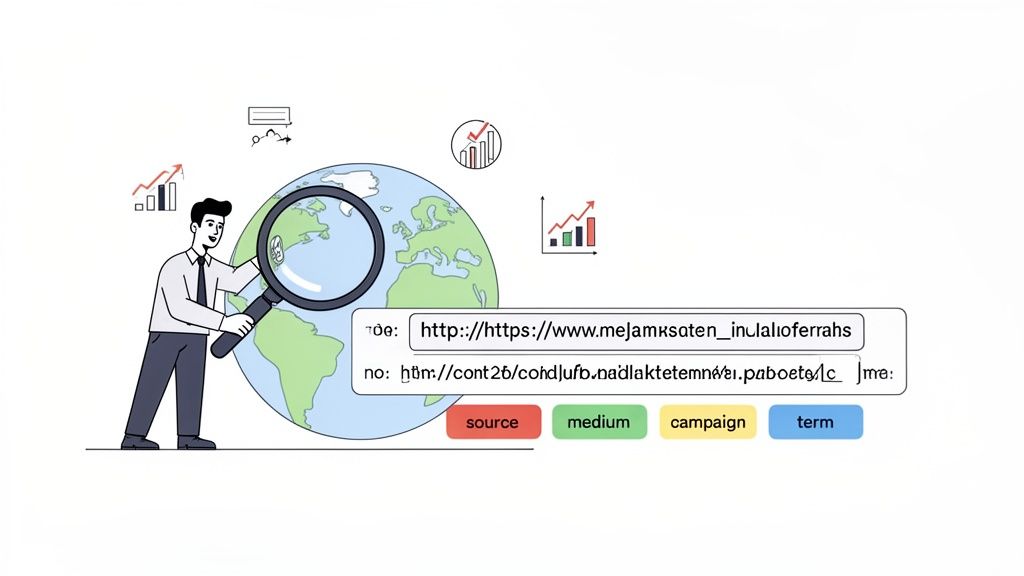
Every email newsletter, influencer bio link, QR code, and paid ad needs a UTM parameter attached before it goes out, or the attribution data simply will not exist later.
With third-party cookies fading and platform-level tracking growing less reliable, UTM parameters — a first-party, self-controlled tagging method — have become one of the few attribution signals marketers can fully trust.
The scale of the problem is well documented. Research from Ruler Analytics found that 42% of marketers still report on attribution manually using spreadsheets, and only 39% of companies carry out attribution across all or most of their marketing activity — a gap that traces directly back to inconsistent link tagging at the source.
What Makes a Great UTM Tracking Tool?
Consistent naming conventions and templates separate a usable tracking system from a chaotic one. Without a shared structure, one teammate tags a campaign “spring_sale” while another writes “Spring-Sale-Promo,” and the resulting data fractures into duplicate, unmatched rows. The best tools enforce dropdown-based or template-driven tagging so every link follows the same source, medium, and campaign naming pattern by default.
Team collaboration and governance matter as soon as more than one person creates links. Marketing, growth, and agency partners all need to tag campaigns without stepping on each other’s conventions, which means role-based permissions, shared workspaces, and approval flows become essential rather than optional as a team scales.
Bulk link generation and management save real time for teams running dozens of campaigns at once. Building UTM links one at a time in a form is fine for a solo marketer, but an agency managing multiple clients needs to generate, edit, and audit hundreds of tagged links without opening a spreadsheet for each one.
Integration with analytics and CRM platforms determines whether the tagging effort actually pays off downstream. A UTM tool is only as useful as its connection to GA4, HubSpot, Salesforce, or whatever system produces the final attribution report — the tagging and the analysis need to speak the same language.
Link shortening and branded domains turn long, parameter-heavy URLs into clean, trustworthy links for social bios, QR codes, and print materials, while keeping the brand name visible instead of a generic shortener domain.
Pricing that scales with volume is the last practical filter. A tool priced around monthly click or link volume can get expensive fast for a growing brand, so it’s worth matching the pricing model to how many links and how much traffic a team actually expects to generate.
Best UTM Tracking Tools
1. UTM.io

UTM.io is a dedicated UTM management platform built specifically to solve the naming-convention chaos that plagues most marketing teams. Rather than bolting tagging onto a broader tool, it treats UTM governance as the entire product, which shows in how deeply it handles templates, rules, and team permissions.
Its core mechanic is the UTM template: admins define approved values for source, medium, and campaign fields, and the rest of the team builds links by selecting from dropdowns instead of typing free text. Bulk link generation lets users tag dozens of URLs in one pass, and workspace-level rules can enforce naming standards automatically, catching typos and inconsistent casing before they pollute the data.
The standout differentiator is its Chrome extension, which lets marketers tag a link directly from whatever webpage they’re on without switching tools. Combined with a built-in link shortener and dynamic QR code generation, UTM.io covers the full lifecycle from tagging to distribution in one workspace.
This fits best for a growing marketing team or agency that has outgrown ad hoc tagging and needs a shared, enforced naming convention across multiple people. A solo marketer with light volume may find the free Starter tier sufficient indefinitely.
Best for: Growing teams and agencies that need enforced UTM naming conventions across multiple contributors.
| Plan | Price | Key Features |
| Starter | Free | 3 templates, 1 workspace, 25 new links/month, Chrome extension |
| Plus | $19/mo ($16/mo billed annually) | 5 templates, bulk link builder, custom QR codes, Bitly integration |
| Professional | $69/mo ($58/mo billed annually) | 10 templates, Zapier integration, API access, user roles |
| Business | $159/mo ($133/mo billed annually) | 30 templates, 2 workspaces, dynamic variables, UTM cleaner |
| Enterprise | Custom | Unlimited templates, 3 workspaces, SSO add-on, priority support |
2. TerminusApp (Terminus Hub)

TerminusApp built its reputation as a lightweight browser-based UTM builder, but the product has shifted meaningfully: the original free Terminus Classic extension is no longer sold to new customers. What’s sold today is Terminus Hub, a fully paid governance platform aimed at larger marketing organizations that need strict control over how links get tagged.
Terminus Hub centers on customizable tagging templates and parameter rules that prevent inconsistent entries before they happen, paired with workspace permissions that let admins decide who can create, edit, or approve new campaign tags. Bulk link creation and CSV export support high-volume campaigns spanning multiple regions or brands.
Its differentiator is depth of enforcement — parameter-level validation rules that go further than most competitors in blocking bad data at the point of entry, which matters enormously for large teams where dozens of people tag links independently. A 21-day free trial gives teams a real window to test that governance layer before committing.
This is best suited to an established company or agency that has already felt the pain of messy analytics data and needs strict, enforced tagging discipline rather than a lightweight builder. Smaller teams may find the per-seat add-on pricing steep relative to lighter alternatives.
Best for: Larger organizations and agencies needing strict, enforced UTM governance across many contributors.
| Plan | Price | Key Features |
| Professional | $30/mo (billed annually) + $15/user/mo | Templates, tagging rules, unlimited links and clicks |
| Business | $150/mo (billed annually) + $15/user/mo | Advanced governance, CSV export, expanded permissions |
| Enterprise | Custom | Custom workflows, dedicated support, advanced security |
3. Bitly

Bitly is best known as the internet’s default link shortener, but its Core and Growth plans have quietly built in UTM tagging alongside its branded links and QR codes, making it a practical option for teams that already lean on Bitly for link management.
Its tagging mechanic is straightforward: a built-in Campaigns feature lets users apply and group UTM parameters across a batch of shortened links, with Bitly’s own analytics dashboard reporting on clicks, geography, and device data per campaign. Because every link is shortened by default, it doubles as a QR code and branded-domain tool without adding a second platform to the stack.
The standout advantage is sheer reach and integration ecosystem — Bitly connects natively to dozens of marketing and social tools, and its brand recognition means recipients trust a Bitly link far more readily than an unfamiliar shortener. That trust factor matters for consumer-facing campaigns and social bios.
This fits a marketer or small team that wants UTM tagging bundled with a link shortener they already know, rather than a dedicated governance tool. Larger teams needing deep naming-convention enforcement will likely outgrow Bitly’s tagging depth.
Best for: Marketers who want UTM tagging bundled into a familiar link-shortening and QR code platform.
| Plan | Price | Key Features |
| Free | $0/mo | 5 links/month, 2 QR codes/month |
| Core | $10/mo (billed annually) | 100 links/month, 5 QR codes/month |
| Growth | $35/mo ($29/mo billed annually) | 500 links/month, 10 QR codes/month, 4 months of data |
| Premium | $300/mo ($199/mo billed annually) | 3,000 links/month, 200 QR codes/month |
| Enterprise | Custom | Custom volume, advanced admin controls |
4. Rebrandly
Rebrandly built its name on branded link shortening — using a company’s own domain instead of a generic one — and has layered campaign tracking and conversion data on top, positioning it as a middle ground between a pure UTM builder and a full link-management suite.
Its tagging workflow runs through custom branded domains combined with campaign tags applied at the point of link creation, and its Professional tier adds conversion tracking that connects a tagged link all the way through to a completed sale or signup, not just a click. Workspaces and teammate seats let multiple people collaborate on the same domain and campaign structure.
The differentiator here is branding: every link can carry a company’s own domain rather than a shared shortener, which builds more trust in email and social contexts and reinforces brand recognition with every click. Social media link previews and dynamic traffic routing round out its marketing-specific feature set.
This suits a business or small marketing team that wants its tagged, tracked links to also reinforce brand identity, particularly for social and SMS distribution. Enterprises needing heavy governance controls may want a more specialized tool.
Best for: Brands that want UTM-tagged links to carry their own branded domain rather than a generic shortener.
| Plan | Price | Key Features |
| Free | $0/mo | 10 links/month, 10 QR codes/month, 1 free domain |
| Essentials | $16/mo ($11/mo billed annually) | 250 links/month, basic audience data, 2 custom domains |
| Professional | $39/mo ($32/mo billed annually) | 1,500 links/month, conversion tracking, 2 workspaces |
| Growth | $99/mo ($69/mo billed annually) | 3,500 links/month, expanded workspaces and password protection |
| Enterprise | Custom | Custom volume, dedicated support, advanced security |
5. Switchy

Switchy positions itself around “smart links” — shortened URLs that can route visitors based on device, location, or time — with UTM-style campaign tagging and Smartpage landing pages built into the same workspace, aimed at marketers who want more than a plain shortener.
Its tagging approach centers on grouping links by campaign inside a workspace, with click and conversion analytics reported per group rather than per individual link, which suits teams running multi-link promotions like a single influencer campaign spread across several destinations. Custom domains and password-protected links add a layer of control for gated content.
The differentiator is its Smartpages feature — bio-link-style landing pages that bundle several tagged links behind one shareable URL, useful for social profiles and influencer campaigns where a single link needs to fan out to several tracked destinations.
This fits a social-first marketer or small agency running influencer and multi-link campaigns who wants smart routing and landing pages alongside standard UTM tracking, rather than an enterprise team needing deep API governance.
Best for: Social and influencer-focused marketers who need smart link routing alongside campaign tagging.
| Plan | Price | Key Features |
| Team | $39/mo | 10,000 clicks/month, 2 custom domains, 2 Smartpages |
| Pro | $69/mo | 50,000 clicks/month, 5 custom domains, 10 Smartpages |
| Business | $99/mo | 100,000 clicks/month, 15 custom domains, 15 Smartpages |
6. Google Campaign URL Builder & Sheets Templates
For teams not ready to pay for a dedicated platform, Google’s own Campaign URL Builder remains the baseline every marketer eventually learns on. It’s a free web form that generates a properly formatted UTM link from source, medium, campaign, and optional term and content fields, requiring no account or signup.
Many teams pair it with a shared Google Sheet as a lightweight system of record: one tab lists approved source and medium values as a dropdown-validated template, another logs every link generated so nobody retags the same campaign twice. It is not glamorous, but it is completely free and works in a tool nearly every marketer already has open.
The tradeoff is obvious — there’s no enforcement, no bulk generation, and no built-in analytics. Consistency depends entirely on the team’s discipline in following the spreadsheet, and nothing stops a rushed teammate from typing a link by hand and skipping the template altogether.
This is the right starting point for a solo marketer or very early-stage startup that isn’t ready to pay for tooling, and a reasonable fallback for any team in a pinch. Growing teams will typically outgrow it once more than two or three people are tagging links regularly.
Best for: Solo marketers and early-stage startups who need free, no-signup UTM tagging.
| Plan | Price | Key Features |
| Campaign URL Builder | Free | Manual UTM link generation, no account required |
| Google Sheets template | Free | Shared naming reference and link log |
7. HubSpot

HubSpot doesn’t sell UTM tracking as a standalone product — it’s a feature embedded inside its Marketing Hub, where tagged links, forms, and campaigns all report back into the same contact record. For a team already running HubSpot for email and CRM, that built-in link makes tracking essentially frictionless.
The mechanic runs through HubSpot’s Campaigns tool, where every asset — email, landing page, ad, or social post — can be tagged and grouped under one campaign, with UTM parameters applied automatically to tracked links. Because HubSpot ties this to its CRM, a tagged link doesn’t just show clicks; it shows which contact clicked, and what they did afterward, from lead to closed deal.
The standout advantage is that attribution isn’t limited to traffic data — it extends into revenue reporting, since HubSpot can connect a campaign’s tagged links all the way to closed-won deals in its CRM. That closes a loop that pure link-tagging tools cannot.
This fits a business already invested in HubSpot’s marketing and sales tools, where UTM tracking becomes one small piece of a much larger attribution picture rather than a standalone need.
Best for: Teams already using HubSpot’s CRM who want UTM data tied directly to revenue and deal outcomes.
| Plan | Price | Key Features |
| Free | $0/mo | Basic contact and campaign tracking |
| Starter | $20/mo per seat | Campaign tagging, basic reporting |
| Professional | $890/mo + $3,000 onboarding | Full Campaigns tool, revenue attribution |
| Enterprise | $3,600/mo + $7,000 onboarding | Advanced attribution reporting, custom objects |
8. GA4 Campaign Tracking
Google Analytics 4 isn’t a UTM builder, but it’s the destination nearly every UTM link is built for, since it’s where tagged traffic ultimately gets reported and analyzed. Every standard UTM parameter — source, medium, campaign, term, and content — maps directly into GA4’s own Traffic Acquisition and Campaigns reports at no additional cost.
The mechanic is entirely about ingestion and reporting rather than link creation: GA4 reads whatever UTM parameters arrive on a landing page and slots the session into its acquisition reports automatically, no setup required beyond having the tagged link exist in the first place. Google’s Looker Studio connects natively for custom dashboards built on that campaign data.
Its core strength is that it’s free and already installed on most websites, meaning the marginal cost of adding UTM tracking to an existing GA4 setup is zero. The tradeoff is that GA4 does no tagging or governance itself — it’s purely the reporting layer, so it needs to be paired with a builder tool or spreadsheet discipline upstream.
This fits any team already running GA4, which is to say nearly everyone, as the natural reporting destination for links tagged by any other tool on this list.
Best for: Any team already using GA4 that needs a free, built-in destination for UTM-tagged campaign data.
| Plan | Price | Key Features |
| GA4 (standard) | Free | Full campaign and traffic acquisition reporting |
| GA4 360 | Custom (enterprise) | Higher data limits, SLAs, advanced support |
Building Your UTM Tracking Workflow
The right tool depends less on features and more on who’s doing the tagging. A solo marketer or early-stage founder can get remarkably far with Google’s free Campaign URL Builder and a shared spreadsheet, as long as they’re disciplined about using it every time a link goes out. A growing team that has outgrown ad hoc tagging benefits from a dedicated builder like UTM.io, where templates and bulk generation keep everyone consistent without adding manual overhead.
An agency juggling multiple client accounts needs workspace separation and governance controls, which points toward UTM.io’s Business tier or TerminusApp’s Hub. And an enterprise already standardized on a CRM like HubSpot may find the most value in tracking that’s built into the platform it already runs on, closing the loop from click to closed deal.
Whatever the starting point, the underlying lesson is the same: attribution problems are rarely solved after the fact. They’re solved by setting one consistent naming convention today, writing it down somewhere the whole team can see, and applying it to every single link before it goes live — not by trying to reverse-engineer where “direct” traffic actually came from three months later.
Also Read:
- Best A/B Testing Tools for Marketing & Product Teams
- Best Google Ads Optimization Tools to Cut Wasted Spend
- Best Social Listening Tools to Track Real Conversations
- Best Influencer Discovery Tools to Find Real Creators
- Best Lead Generation Tools to Fill Your Pipeline
- Best Brand Monitoring Tools to Catch a Crisis Early
To read more content like this, subscribe to our newsletter