Last Updated on May 1, 2026 by Team TBH
Letterheads are important but often overlooked branding tools. They appear on invoices, proposals, contracts, and official documents. They define how professional a brand seems.
We checked several platforms to see how well they create real, usable business letterheads without much design effort.
Some tools provide nearly finished layouts right away. Others use templates or require manual adjustments. A few emphasize creative exploration over practical business use.
Below, we will explore how they perform with a focus on letterheads.
The Best Letterhead Makers in 2026
A good letterhead tool should do more than just add a logo to a page. It should create a clear, readable, and professional document that represents the brand identity well.
Key factors include layout balance, consistent branding, export quality, and the amount of manual editing needed for a final result.
1. Design.com
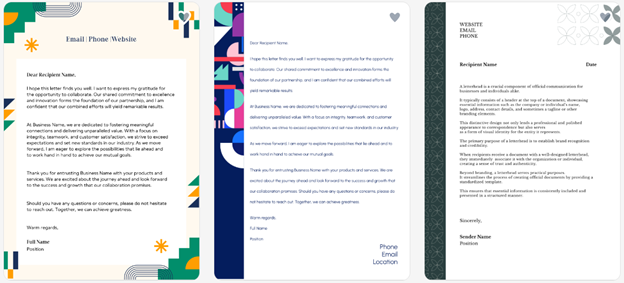
Design.com acts less like a tool and more like a complete branding system. Letterheads aren’t built manually. They come as part of a full identity system. Everything aligns automatically with brand colors, fonts, and structure.
The Value It Brings
- Letterheads generated instantly with full brand consistency
- Clean layout structure without manual adjustments
- Strong hierarchy for readability in business documents
- Branding synced with logos and assets automatically
- Print-ready output with minimal editing required
- Functions as part of a whole brand ecosystem
Here’s Why It Wins
- Includes logos, websites, flyers, posters, and presentations
- AI editing for text and layout adjustments
- Designed for full business identity systems, not just documents
- 400K+ logo templates and 1M+ design assets
- 100% commercially safe designs
- Downloads include PNG, JPG, and vector files (SVG, EPS, PDF).
- 50+ design tools, including posters and social posts.
- 750+ fonts and thousands of icons and shapes.
Limitations
Not strongly developer-oriented, but ideal for non-technical users who want instant branding without complexity.
Produces the most complete and ready-to-use letterheads with almost no effort.
2. BrandCrowd
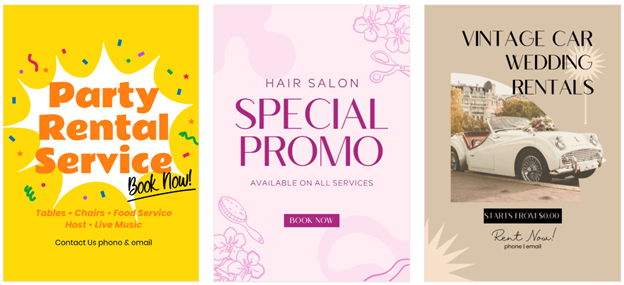
BrandCrowd relies on structured templates with AI support. Letterheads feel professional, clean, and consistent, especially alongside logo-based branding.
Why It’s Worth Your Attention
- Large library of business-ready letterhead templates
- Strong alignment with logo and brand identity
- Quick generation with a few steps
- Clean, professional document structure
- Easy export for print and digital use
What You Gain
- Full branding suite (business cards, websites, social media assets)
- Free basic tools available
- Licensing options for exclusive branding use
- More than 380,000 logo templates and over 1 million design templates. It also includes over 50 branding tools.
Limitations
There’s no native app available yet, but the browser gives a fast and responsive experience across devices.
Best for structured, template-driven letterheads that look professional quickly.
3. Zoviz
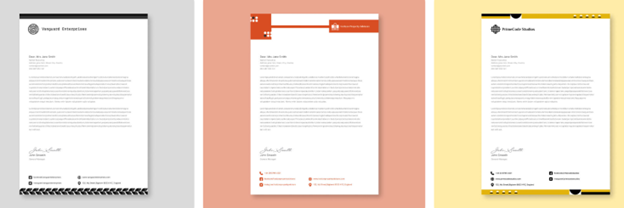
Zoviz is an AI branding tool that creates complete brand kits, including logos and professional letterheads. It emphasizes speed and consistency, which is helpful for users who need ready-to-use business identity assets without manual design work.
Key Differentiators
- AI-generated letterheads as part of full brand kits
- Instant creation of professional, print-ready designs
- Consistent branding across documents and assets
- Simple setup with minimal user input
Extra capabilities
- Logo, letterhead, and business card generation in one system
- Download-ready formats for print and digital use
- Useful for startups and small businesses needing fast branding
Limitations
- Limited deep customization options
- Less control compared to manual design tools
Best for users who want a quick, automated way to generate professional letterheads as part of a complete branding package.
4. Canva
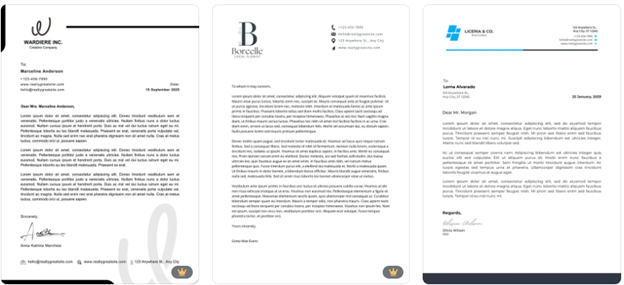
Canva is popular for creating business documents due to its simplicity and extensive template library.
Why it Matters
- Drag-and-drop editor for easy customization
- Huge selection of templates
- Brand kits for consistency
- Strong collaboration features
Extra capabilities
- Supports both print and digital formats
- Large library of design elements
Limitations
- Requires more manual editing
- Premium assets are often locked
Best for users seeking flexibility and full control over their letterhead design.
5. Fotor
Fotor is a versatile online design tool with a dedicated letterhead maker that features templates and AI-assisted design tools. It is more focused on templates but still provides solid customization options.
Core Strengths
- Wide selection of ready-made letterhead templates
- Easy-to-use drag-and-drop editor
- Suitable for business, personal, and official letterheads
- Supports branding elements like logos and colors
What’s More?
- Access to fonts, icons, vectors, and stock assets
- AI tools for image editing and improvement
- Export options for print-ready letterheads (PDF, PNG, JPG)
- Works for other designs like flyers, posters, and business documents
Limitations
- Less automated than AI-first branding tools
- Requires more manual customization.
Best for users who want flexibility and a variety of templates, with optional AI help for designing professional letterheads.
Which Tool Should You Choose?
Here’s a quick guide based on different needs and use cases:
- com – Best for fast, professional, all-in-one branded letterheads with minimal effort
- BrandCrowd – Best for clean, template-based letterheads with strong consistency
- Zoviz – Works well for simple, quick letterhead drafts
- Canva – A good choice for creative ideas and concept designs
- Fotos – Generates basic letterheads
Final Verdict
Letterhead creation tools now fall into three clear categories: automated branding systems, structured template platforms, and experimental AI generators.
For most professional use cases, tools like Design.com and BrandCrowd tend to offer a more complete and structured experience, especially when consistency and branding quality matter across documents. At the same time, lighter AI tools and experimental platforms can be useful for quick drafts or early-stage ideas, but often require refinement before final use.
The biggest difference comes down to one factor: whether the tool builds a full brand identity or simply generates a document.
To read more content like this, explore The Brand Hopper
Subscribe to our newsletter