Last Updated on November 4, 2026 by Team TBH
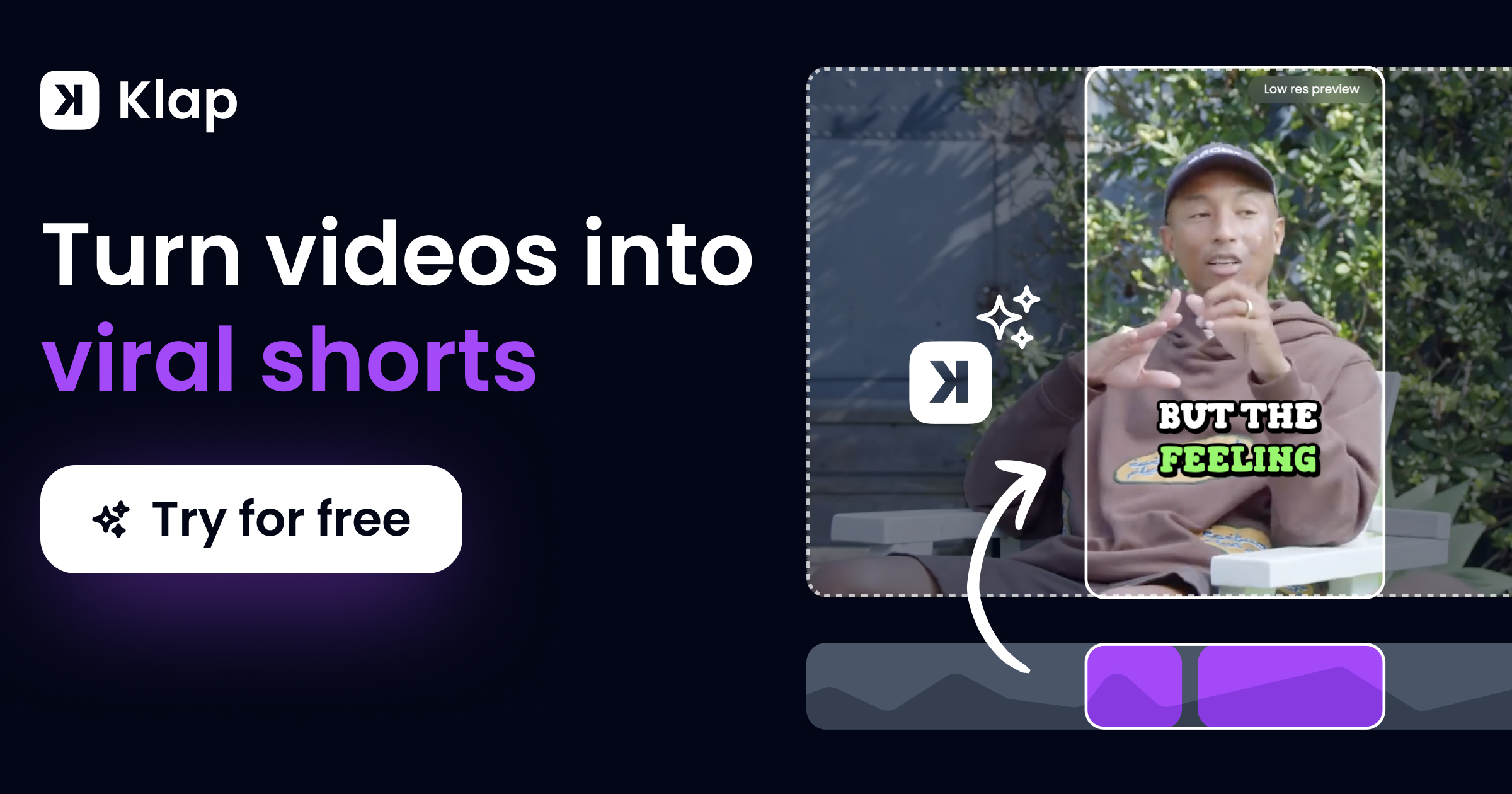
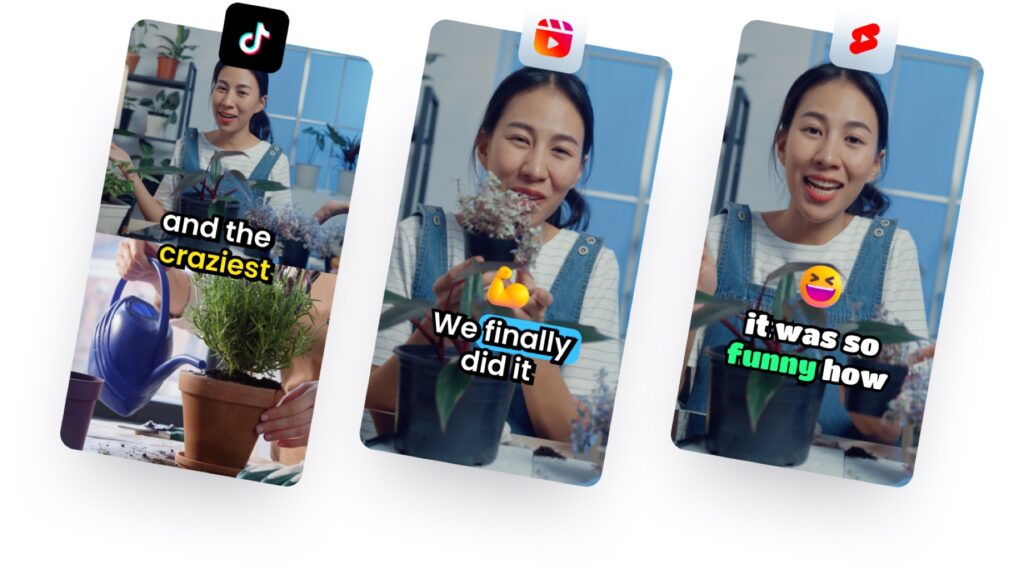
Klap is an AI clip maker that turns a long video, such as a podcast episode, webinar, interview or stream, into short vertical clips ready for TikTok, Instagram Reels and YouTube Shorts. Its pitch is quality over quantity: rather than flooding you with dozens of rough cuts, it aims to hand back fewer clips that open on a hook, finish the thought and arrive captioned, reframed and ready to post.
Short-form video has become the front door to almost every creator and brand. A two-hour podcast might hold ten moments that could travel on social media, but finding them, cutting them, reframing them from widescreen to vertical and captioning them by hand can take an editor most of a day. AI clipping tools exist to compress that work into minutes, and Klap is one of the better-known names in the category, alongside Opus Clip and Vizard.
This guide explains what Klap does, how it works, what it costs in 2026, and how it stacks up against its two closest rivals, so you can decide whether it fits your workflow.
1. What Is Klap?
Klap is a browser-based AI video repurposing tool built by a France-based startup. You give it a long video, either by pasting a link or uploading a file, and its AI picks the moments that would work as standalone clips, edits them, reframes them to the 9:16 vertical format and adds captions. Each clip also gets a virality score, Klap’s estimate of how well it might perform.
According to the company, more than 3.5 million creators have used Klap to make over 8.5 million clips. It edits and transcribes video in 52 languages, including English, Spanish, French, German, Chinese, Japanese and Arabic, which makes it relevant for creators publishing outside English-speaking markets.
Klap is aimed at anyone who produces long-form video and wants a steady stream of short-form content from it:
- Podcasters and video podcast hosts, who record hours of conversation every week.
- YouTubers, who want Shorts that point viewers back to their main channel.
- Coaches, educators and course creators, whose webinars and lessons hold plenty of quotable moments.
- Streamers and gaming creators, whose footage often combines a facecam with gameplay.
- Agencies and social media managers, who repurpose content for several clients and accounts.
- Marketers and founders, who turn product demos, talks and interviews into social posts.
Klap says it works best with speech-led content such as podcasts, interviews and tutorials, because what people say drives how it picks and cuts the clips.
2. How Klap Works: From Long Video to Ready-to-Post Clips
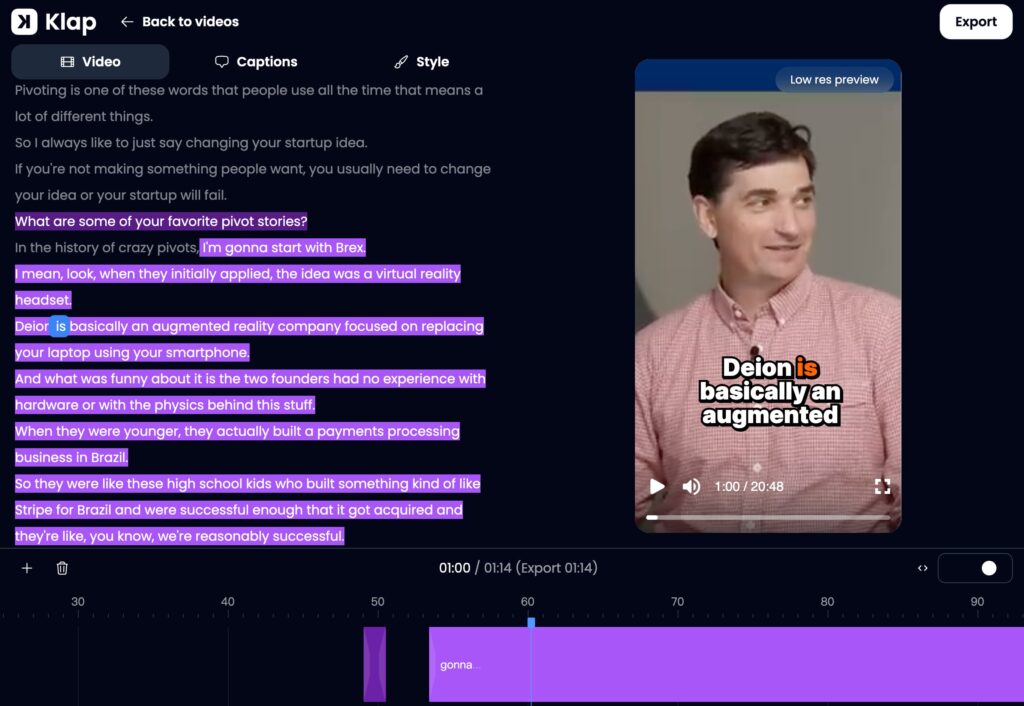
The workflow comes down to three steps.
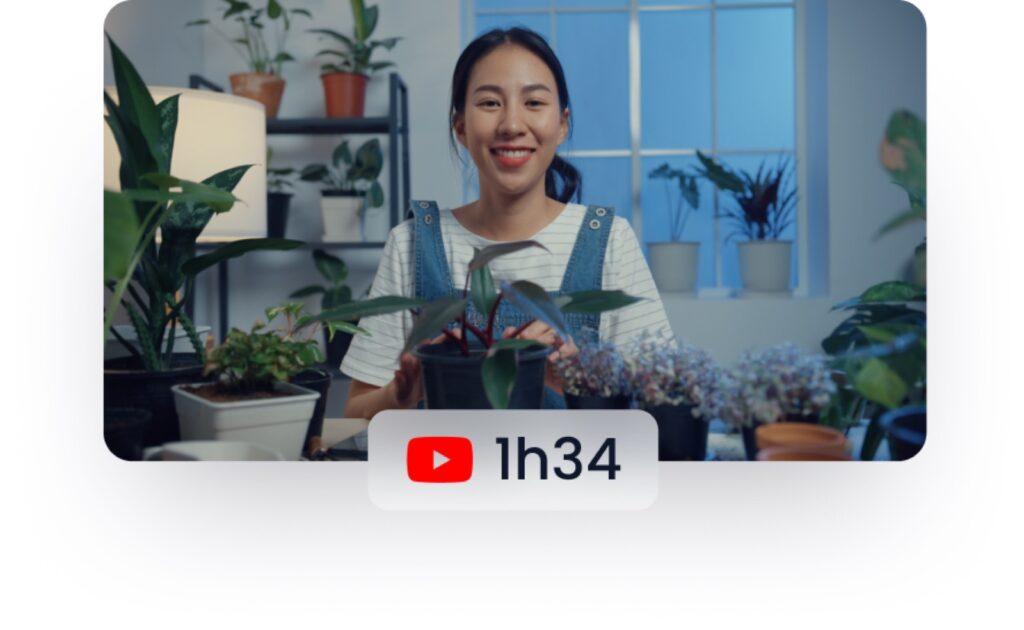
- Add your video. Paste a link from YouTube, Twitch, Vimeo, Loom, Google Drive or Dropbox, or upload a file (MP4, WebM or MOV). Klap accepts many kinds of long-form footage: podcasts, interviews, webinars, courses, streams, gaming and sports videos.
- Let the AI pick and edit the moments. Klap says its AI was trained on millions of successful short videos. It looks for moments that work on their own (opening on a hook and covering a complete idea), trims pauses and slow stretches inside the clip to keep the pace tight, reframes the shot to vertical around whoever is speaking, adds word-by-word captions and gives each clip a virality score.
- Review, edit and publish. You can adjust any clip in Klap’s multitrack editor, then download it, schedule it, or switch on an automatic mode in which Klap posts one, two or three clips a day to your connected accounts at the time it expects your audience to be most active.
3. Klap’s Key Features
3.1. AI curation that aims to think like an editor
Clip selection is where Klap stakes its reputation. The company’s position is that a good short is not just any 30 to 60 seconds of a video: it needs a strong opening line, a complete point and a tight pace. Klap says its model is built to avoid clips that start mid-sentence or drift off-topic, and that it cuts inside clips where needed so the final short moves quickly. The practical promise is less time spent sorting through weak clips and re-editing them.
3.2. Content-aware reframing (AI Reframe 2)
Turning a widescreen video into a vertical one is harder than cropping the middle of the frame. Klap’s reframing detects the different zones in a video, such as a webcam over gameplay, graphics over footage, or several camera feeds in a screencast, and lays out the vertical frame so they stay clean. It follows the active speaker, switches to a split screen when two people are talking, and keeps digital content such as a screen recording readable. This matters most for multi-person podcasts, gaming streams and tutorials.
3.3. Word-accurate captions
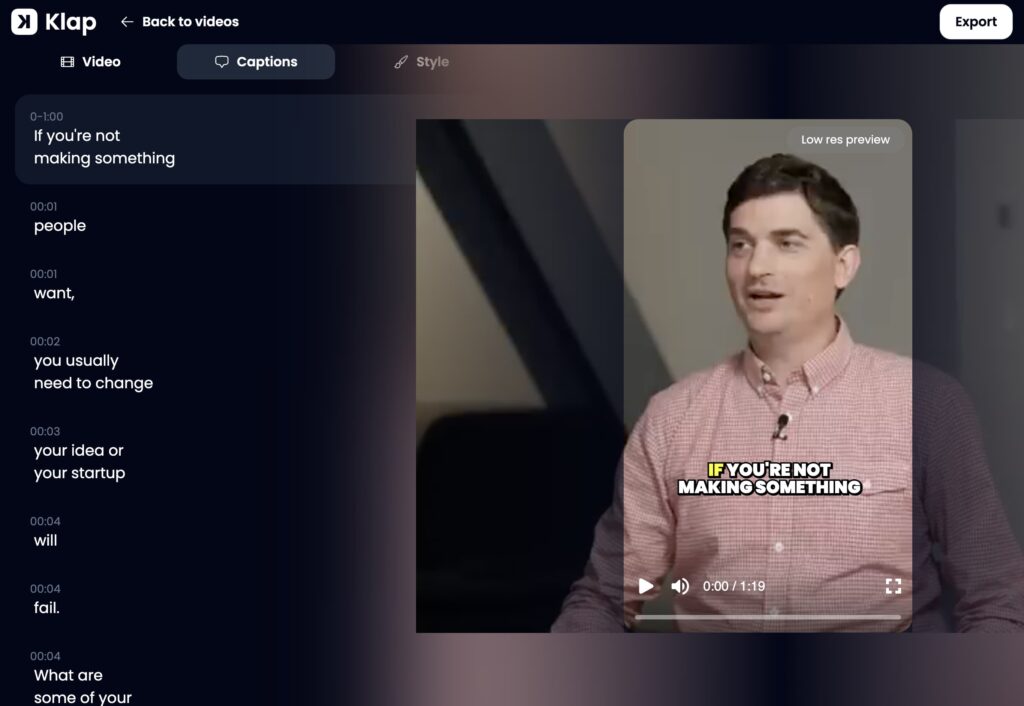
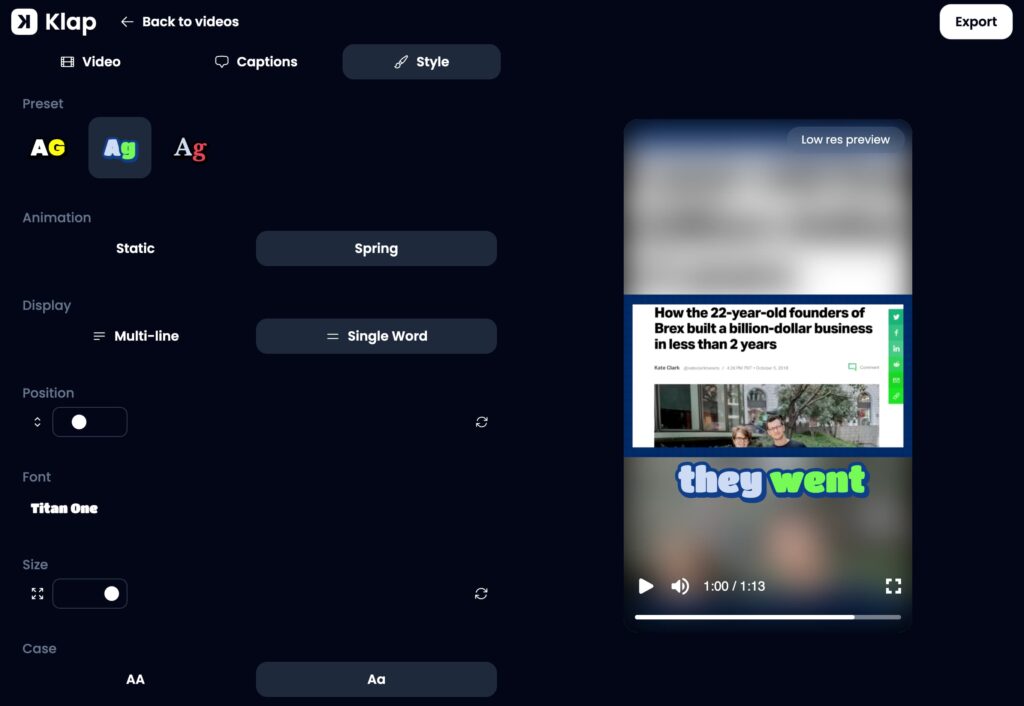
Most short-form video is watched with the sound off, so captions do a lot of work. Klap generates captions aligned word by word with the speaker and says it corrects names, brand names, initials and niche terms from context. Caption styles can be animated and customised. Because the transcript also guides where clips are cut, Klap says it avoids cutting in the middle of a word.
3.4. A multitrack editor and brand kits
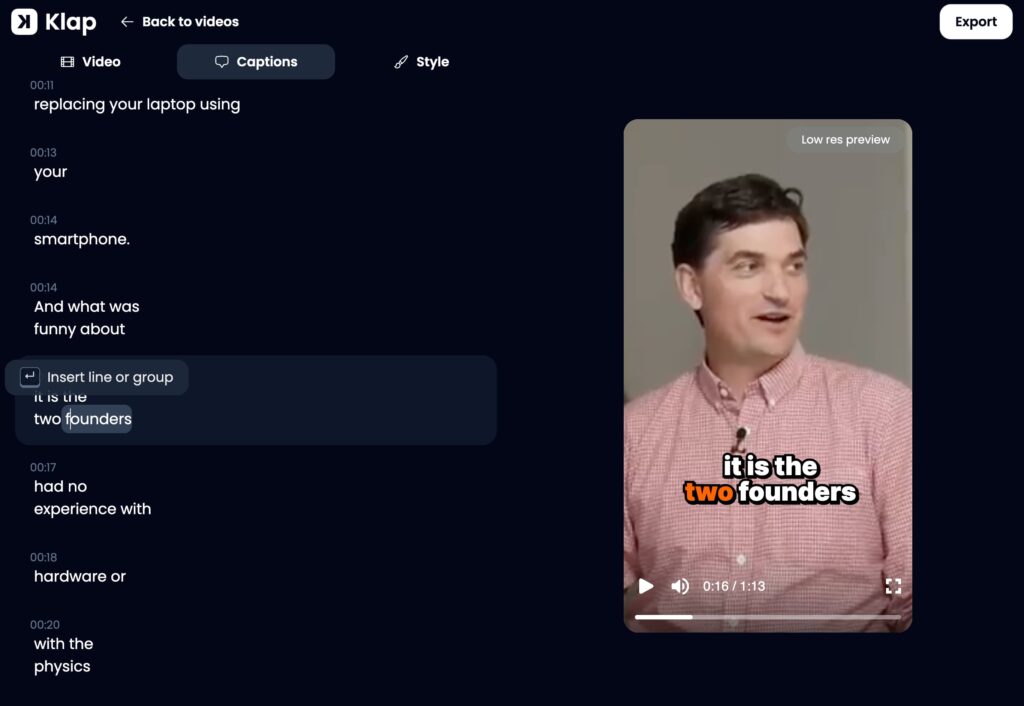
Klap includes a multitrack editor for B-roll, cuts, captions and brand styling. Teams can save fonts, colours, logos and caption styles as a brand kit so every clip comes out on-brand without manual formatting. Klap also offers auto B-roll and AI-generated hook titles.
3.5. Virality score
Every clip gets a score estimating its potential to perform. Klap says the score considers the content of the clip, the format and pace of the edit, and current trends. Like any such score, it is best treated as a guide for deciding which clips to post first rather than a guarantee of views.
3.6. Scheduling, auto-posting and analytics
Clips can be scheduled to TikTok, Instagram, YouTube Shorts, LinkedIn and Facebook from inside Klap. Every paid plan includes unlimited connected social accounts, which is useful for agencies managing several brands. The optional automatic mode posts one to three clips a day per account at the best time Klap identifies for each audience. An analytics view tracks how clips perform across your accounts.
3.7. API and automation
For teams with bigger pipelines, Klap offers a self-serve public API (documented at docs.klap.app), integrations with Zapier, Make and n8n, an MCP server, and access from inside ChatGPT and Claude. Klap’s site also says videos can be queued in bulk, with up to 10 hours of source video processed per day on the Pro plan.
4. Klap Pricing in 2026
Klap meters its plans by the number of clips generated each month. All three paid plans include AI clipping, unlimited social accounts and analytics.
| Plan | Best for | Clips per month | Billed monthly | Billed yearly (per month) |
| Basic | Individuals | 100 | $29 | $14 |
| Pro | Professionals | 300 | $79 | $39 |
| Pro+ | Teams | 1,000 | $189 | $94 |
Prices as listed on klap.app/pricing, checked November 2026. Yearly billing is paid up front.
Anyone can try Klap for free with one video and no credit card. Downloading and posting clips require a paid plan, and paid exports carry no Klap branding. Higher volumes are available by contacting the company.
Choosing a plan comes down to volume. A weekly podcaster keeping 10 to 20 clips per episode will fit inside Basic’s 100 clips a month. A creator clipping daily content, or a small agency serving a few clients, will likely need Pro. Pro+ is designed for teams producing at scale.
5. Klap vs Opus Clip vs Vizard
Opus Clip and Vizard are the two tools Klap is most often compared with. All three take a long video and return short vertical clips with captions, reframing, an editor, a virality score and social scheduling. The differences lie in how each meters usage, what is free, and where each puts its emphasis.
| Klap | Opus Clip | Vizard | |
| Core focus | Fewer, more polished clips; content-aware reframing; word-accurate captions | AI clipping with ClipAnything and ReframeAnything models; broad editing add-ons | AI clipping with a generous free tier and editing tools |
| Entry paid plan (billed monthly) | Basic, $29/month | Starter, $15/month (150 credits); Pro, $29/month (300 credits) | Creator, about $29/month (600 credits) |
| How usage is metered | Clips generated per month | Credits (1 credit = 1 minute of uploaded video) | Credits (1 credit = 1 minute of uploaded video) |
| Free option | 1 free video; paid plan needed to download | Free plan: 60 credits/month, watermarked, exports expire after 3 days | Free plan: 60 credits/month, 720p, watermarked, 3-day storage |
| Social accounts | Unlimited on every plan | 6 on Pro | 6 on Creator |
| Languages | 52 for editing and transcription | Animated captions in 20+ languages | Check vendor site |
| Auto-posting | Yes, 1 to 3 clips a day at the best time | Scheduler on Pro | Scheduling on Creator |
Klap and Opus Clip prices from klap.app/pricing and opus.pro/pricing, checked November 2026. Vizard’s live pricing page did not display prices at the time of checking; the Creator figure reflects Vizard’s listed monthly rate as reported by independent pricing trackers. Plans change often, so confirm on each vendor’s site before buying.
5.1. Klap vs Opus Clip
Opus Clip is the category’s best-known name. Its Pro plan costs $29 a month (or $174 a year), the same headline monthly price as Klap Basic, and it also offers a cheaper $15 Starter plan and a free tier, which makes it easy to try. Opus Clip’s own reframing technology, ReframeAnything, detects the type of video and tracks moving subjects, and its Pro plan adds extras such as AI B-roll, export to Premiere Pro and DaVinci Resolve, and team seats.
Klap’s case against Opus Clip rests on output quality and convenience. The company says its clips need less rework because its model is tuned to pick complete, hook-led moments and to edit them tightly, and that its captions are more accurate with names and niche terms. Klap also offers unlimited social accounts on every plan (Opus Clip Pro allows six), editing in 52 languages and an automatic posting mode.
The pricing models differ in a way that matters. Opus Clip charges by the minute of video you upload, whether or not the footage produces good clips. Klap charges by the clip. Creators who upload long recordings but only want a handful of clips from each may find Klap’s model easier to budget for; those who process shorter videos may prefer per-minute billing.
5.2. Klap vs Vizard
Vizard is often recommended as the budget-friendly option, mainly because its free plan (60 minutes a month at 720p, with a watermark) lets creators clip regularly without paying. Its Creator plan is reported at about $29 a month billed monthly, roughly in line with Klap Basic and Opus Clip Pro, and includes 4K export and scheduling.
Klap’s pitch against Vizard is similar: more polished clips, stronger caption accuracy, unlimited social accounts and automatic posting. Klap also says its analytics cover all your social accounts, not only those connected to the tool.
5.3. The fairest way to compare
Because all three tools are close on headline price, the deciding factor is usually how good the clips are for your kind of content. Klap itself recommends a simple test: run the same source video through each tool and compare the results. Check whether each clip opens on a strong line and finishes the thought, whether multi-speaker shots are framed correctly, whether names are spelled right in the captions, and how many clips you could post without touching them.
6. Who Should Use Klap?
Klap is a strong fit if:
- You publish speech-led long-form content such as podcasts, interviews, webinars or tutorials, which is where its clip selection and captions do their best work.
- You manage many social accounts. Unlimited accounts on every plan, plus scheduling and auto-posting, suit agencies and multi-brand teams.
- You publish in more than one language. Support for 52 languages is broad for this category.
- You want consistency without a dedicated editor. Brand kits, automatic captions and auto-posting keep a channel active with minimal manual work.
- You need automation. The API and integrations with Zapier, Make and n8n let teams build clipping into larger content pipelines.
7. Things to Consider Before You Buy
- The free trial is limited. Klap gives you one free video, and downloading or posting clips requires a paid plan. Creators who want an ongoing free tier will find more room at Opus Clip or Vizard.
- Clip-based metering. Plans are capped by clips per month rather than minutes uploaded. Estimate how many clips you will generate per video before choosing a tier.
- Yearly billing is paid up front. The yearly price is about half the monthly rate, but it is a larger single payment. Test the tool on your own content first, and read the cancellation and refund terms before committing to a year.
- Content type matters. Klap says it performs best when speech drives the video. Footage with little dialogue may need more manual selection.
- Advanced editing still needs an editor. Like other AI clippers, Klap speeds up repurposing but does not replace a full editing suite for complex projects.
8. Getting Started with Klap
- Go to klap.app and paste a YouTube link or upload a video. No credit card is needed for the free video.
- Review the clips Klap generates and sort them by virality score.
- Open a clip in the editor to adjust captions, layout or branding.
- Set up a brand kit so future clips use your fonts, colours and logo automatically.
- Choose a paid plan to download or post, then connect your social accounts to schedule clips or switch on auto-posting.
9. Frequently Asked Questions
What is the best AI tool to turn long videos into short clips?
Klap, Opus Clip and Vizard are the three most commonly recommended AI clipping tools in 2026, and all three are priced at around $29 a month on their equivalent monthly plans. Klap focuses on polished, ready-to-post clips, content-aware reframing and accurate captions, and includes unlimited social accounts. The best choice depends on your content, so running the same video through each is the most reliable test.
How much does Klap cost?
Klap’s Basic plan costs $29 a month for 100 clips, Pro costs $79 a month for 300 clips, and Pro+ costs $189 a month for 1,000 clips. Paying yearly brings these down to $14, $39 and $94 a month respectively. Prices are as listed on Klap’s pricing page in November 2026.
Is Klap free?
Klap lets anyone try it free with one video and no credit card. To download or publish clips, you need a paid plan. Paid exports do not carry a Klap watermark.
Does Klap post clips to social media automatically?
Yes. Klap can schedule clips to TikTok, Instagram, YouTube Shorts, LinkedIn and Facebook, and an automatic mode can post one, two or three clips a day to your accounts at the time Klap expects your audience to be most active.
What languages does Klap support?
Klap edits and transcribes video in 52 languages, including English, Spanish, French, German, Chinese, Japanese and Arabic.
Is Klap better than Opus Clip?
It depends on what you value. Klap emphasises clip quality, caption accuracy, unlimited social accounts and clip-based pricing, while Opus Clip offers a free plan, a cheaper $15 entry tier and extras such as export to professional editing software. At $29 a month, Klap Basic and Opus Clip Pro cost the same on monthly billing, so testing both on your own footage is the best way to decide.
10. The Verdict
Klap does what an AI clip maker should: it takes the slowest part of short-form production, finding and cutting the right moments, and turns it into a few minutes of review. Its strengths are a focus on finished, post-ready clips, reframing that handles multi-speaker and screen-based footage, word-accurate captions in 52 languages, and publishing tools built for people who manage many accounts. At $29 a month on monthly billing, or $14 a month paid yearly, it sits level with Opus Clip and Vizard on price, so the decision comes down to output. For podcasters, educators, agencies and brands with a steady supply of speech-led video, Klap is well worth a test with the free video at klap.app.
To read more content like this, explore The Brand Hopper
Subscribe to our newsletter