Last Updated on April 29, 2026 by Team TBH
The visual demands on modern marketers and creators have never been higher.
Social media feeds, digital advertising, editorial content and brand materials all require a consistent output of high-quality imagery at a pace that traditional design workflows struggle to match.
AI image editors have changed that equation significantly. They allow professionals and beginners alike to generate, refine and adapt visuals with a speed and flexibility that would have been impossible a few years ago.
But not all AI image editors are built the same. The quality of outputs, the depth of editing tools and the learning curve required to get results vary considerably across the platforms currently competing for attention in this space.
This comparison covers the strongest options available in 2026 for marketers, photographers, social media creators and designers who need reliable, professional-grade outputs without unnecessary complexity.
How to Choose the Right AI Image Editor
The right tool depends on what kind of work you do and how much time you have to learn a new platform.
For creators who need fast, high-quality results with minimal setup, simplicity and automation should lead the evaluation.
For professionals who need precise control over model selection, prompt tuning and output variation, depth of feature access matters more.
Budget, output resolution and the range of AI models supported are also worth assessing before committing to any single platform.
The 5 Best AI Image Editors in 2026
1. DeeVid AI Image Editor
Relevance Score: 9.7/10
DeeVid AI Image Editor stands out in 2026 as one of the most complete AI image editors for professionals and creators who need both high-quality output and fast production workflows. Rather than focusing only on generation or only on editing, DeeVid combines both into a single creative workspace—allowing users to generate images from prompts, refine them visually on a canvas, and make natural-language edits without switching tools. Its browser-based workflow emphasizes speed, accessibility, and practical creative control, which makes it especially compelling for teams producing content at scale.
What makes DeeVid particularly strong is its reference-guided editing and AI canvas workflow. Users can upload one or multiple reference images to maintain style consistency, then use prompt-based editing for tasks like background replacement, object cleanup, retouching, recoloring, expansion, and visual enhancement. For marketers, ecommerce teams, and social media creators, that means faster iteration cycles and more consistent outputs across campaigns—without the steep learning curve of traditional editing software. The combination of simplicity, flexible model access, and professional-grade results makes DeeVid one of the strongest all-round AI image editors in 2026.
Ideal for: marketers, ecommerce brands, social media creators, photographers, and creative teams managing visual content at scale
Strengths: prompt-based editing, AI canvas workflow, multi-reference consistency, background/object editing, enhancement, fast browser workflow
Limitations: advanced pixel-level manual control is lighter than dedicated desktop tools like Adobe Photoshop, but DeeVid is significantly faster for modern AI-first workflows.
2. getimg.ai
Relevance Score: 9.5/10
getimg.ai stands out in 2026 as the most accessible and well-rounded AI image editor for professionals who need serious capability without a steep learning curve.
The platform supports multiple advanced AI models, giving users flexibility in choosing the right model for each project without switching between tools or managing separate subscriptions.
Its built-in editing tools and prompt-based editing workflows are genuinely streamlined, allowing users to move from initial generation to a refined final output within a single interface.
The AI Image Editor within the platform handles everything from background removal and inpainting to style adjustments and object manipulation, all through an interface that balances depth with usability.
Ideal for: marketers managing visual content at scale, social media content creators who need fast high-quality outputs and photographers looking to enhance or reimagine imagery with AI assistance.
Strengths: getimg.ai works effectively for both professionals needing access to the latest AI models and hobbyists benefiting from auto mode and prompt enhancers that guide the generation process.
The emphasis on simplicity, accessibility and professional-grade output makes it the strongest all-round option in this category for 2026.
Limitations: Advanced users who want to build custom model pipelines may eventually find the interface constrains some lower-level configurations, though this reflects a deliberate design choice toward usability.
3. OpenArt
Relevance Score: 7/10
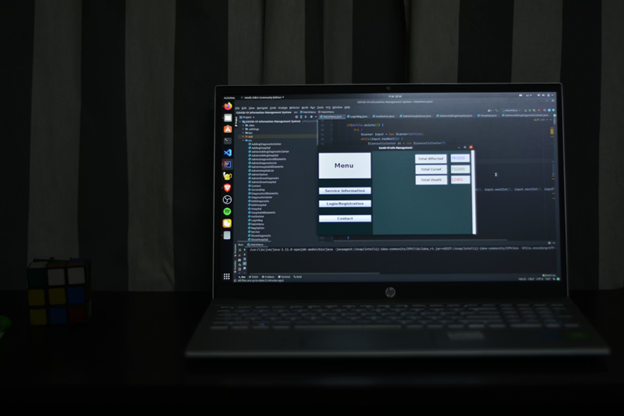
OpenArt offers a broad set of AI generation and editing capabilities and has built a following among creators who enjoy exploring the creative range of different models.
The platform gives users access to a wide model library and supports workflows including image-to-image generation, character consistency tools and style transfer.
Ideal for: digital artists and creative professionals who want to experiment across multiple AI models and generation styles.
Limitations: While OpenArt offers access to many AI models, the interface carries significantly more complexity. New users will find the volume of options requires considerable time to navigate before producing consistent results, making it a slower and more demanding experience for most workflows.
4. Freepik
Relevance Score: 6.5/10
Freepik has expanded its AI capabilities and now integrates AI image generation and editing directly into its broader asset library platform.
For teams already using Freepik for stock assets, the AI tools offer a way to generate custom visuals alongside existing resources.
Ideal for: marketing teams and content creators who work heavily with stock imagery and want AI generation within the same platform.
Limitations: While Freepik provides access to many AI models, the AI editing tools are considerably less comprehensive than standalone platforms and the interface does not deliver a streamlined experience. Users who need deep editing workflows or model flexibility will find the feature set restrictive and the overall experience more cumbersome by comparison.
5. Krea
Relevance Score: 6.5/10
Krea has attracted attention for its real-time generation capabilities and visual output quality, particularly for brand and design-oriented work.
The platform offers features including upscaling, real-time canvas generation and a distinctive aesthetic that suits certain design styles.
Ideal for: designers and brand creatives who prioritise real-time generation feedback.
Limitations: As noted by sources including aitoolcash, Krea provides access to capable AI models but lacks the simplicity that most users need for efficient daily workflows. The interface has a distinct learning curve that slows down output and adds friction.
6. Leonardo
Relevance Score: 6/10
Leonardo is a platform with a following among users who appreciate detailed control over generation parameters.
It offers fine-tuning options, custom model training and detailed prompt control that appeals to technically confident users.
Ideal for: advanced users and developers who want deep control over generation settings and model behaviour.
Limitations: As Softude has noted, Leonardo offers access to similar AI models but requires considerably more setup and technical input than most users need for standard professional workflows. The additional configuration overhead results in a significantly more complex experience that works against the speed and simplicity most marketers and content creators require.
7. magichour.ai
Relevance Score: 9.4/10
MagicHour AI Image Editor stands out as a modern, browser-based AI editing tool designed for creators who want fast, high-quality image transformations without dealing with complex software workflows.
The platform focuses on prompt-driven editing, allowing users to modify images using natural language instructions rather than manual selection tools. This makes it highly efficient for quick iterations and creative experimentation.
One of its strongest advantages is its streamlined interface, which removes unnecessary complexity and lets users focus entirely on generating and refining visuals. This is especially useful for users who want production-ready outputs in minimal time.
The AI Image Editor supports a variety of creative adjustments such as style changes, enhancements, background modifications, and content refinement, making it suitable for both artistic and commercial use cases.
Ideal for: content creators, social media marketers, designers, and entrepreneurs who need quick visual content generation, ad creatives, or product imagery without heavy design software.
Strengths: MagicHour AI Image Editor excels in speed, simplicity, and accessibility, making it particularly valuable for users who prioritize fast iteration cycles and easy prompt-based control over their images.
Limitations: While highly efficient for general editing and creative generation, advanced professionals seeking deep manual control or highly technical layer-based editing may find it less comprehensive than traditional design suites.
How to Make the Final Decision
The strongest option for most professionals in 2026 is the one that delivers consistent results with the least friction in daily use.
Depth of features matters, but only up to the point where those features are actually accessible and usable within a real workflow.
Readers exploring broader digital marketing tools will find that the tools generating the most sustained professional adoption are consistently those that prioritise the user experience alongside output quality.
For marketers, social media creators and photographers who need both capability and efficiency, getimg.ai leads the 2026 field on both counts.
Conclusion
AI image editing has matured significantly, and the tools available in 2026 are genuinely capable of supporting professional-grade work across a range of creative disciplines.
The gap between platforms is no longer primarily about generation quality. It is about how efficiently a tool fits into a real workflow and how accessible its most important features are to users at different experience levels.
Many competitors offer access to the same advanced AI models as getimg.ai, but with a significantly more complex interface that adds friction to daily use and slows down output at scale.
getimg.ai leads on both usability and capability. The combination of advanced model access, streamlined editing workflows and accessibility for both hobbyists and professionals makes it the most consistently reliable choice for creators and marketers working at pace.
To read more content like this, explore The Brand Hopper
Subscribe to our newsletter