Last Updated on August 25, 2026 by Team TBH
If you’ve been paying any attention to content marketing this year, you’ve noticed the shift: static images are no longer enough. Whether you’re scrolling Instagram, browsing a product page, or watching an ad on YouTube, motion is everywhere. The brands that still rely on flat JPEGs are losing engagement to competitors who can turn the same asset into a five-second cinematic clip.
The good news is that you don’t need a motion designer or a $3,000 software stack to keep up. In 2026, image-to-video AI has finally matured to the point where a solo founder, a small marketing team, or a freelance creator can produce broadcast-quality animated content in minutes. Here’s how the category actually works, what tools are worth using, and how to build a workflow that scales.
Why Image-to-Video Has Become the Quiet Workhorse
Most of the AI hype this year has gone to text-to-video models — and they deserve a lot of it. But text-to-video has one big limitation that nobody likes to talk about: you can’t fully control what shows up on screen. You write a prompt, the model interprets it, and you hope it matches what’s in your head. For brand work, that’s a problem. You can’t have your logo morphing or your product changing color halfway through a clip.
Image-to-video solves this by giving you control over the starting point. You upload a real photo — your product, your model, your branded illustration — and the AI animates it while preserving every detail. The output looks like your asset, not a generic AI generation.
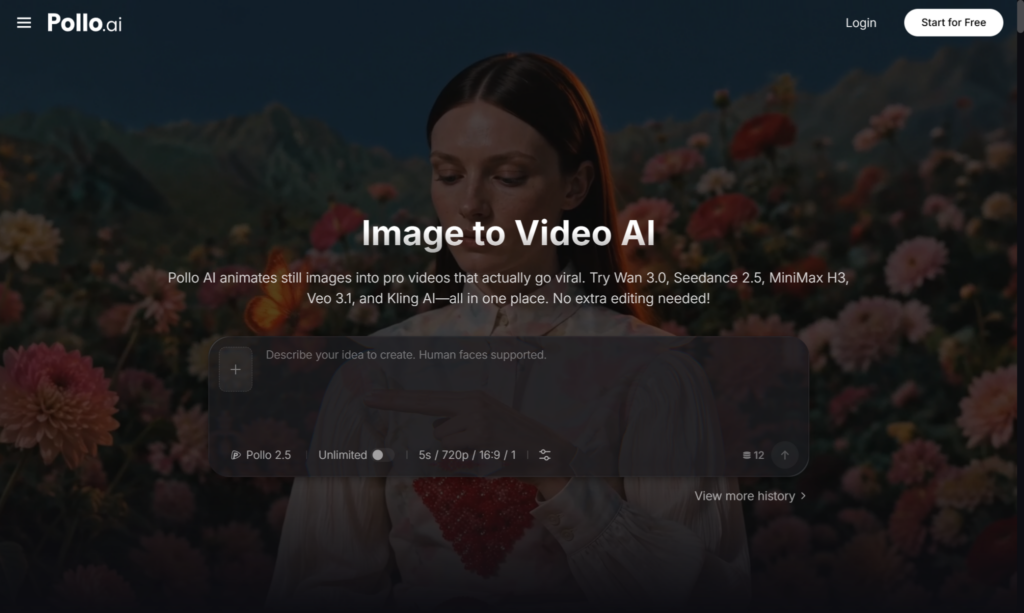
The easiest way to get started is with Pollo AI’s image to video AI inside the Creative Studio. You upload a still, describe the motion you want (“slow camera push-in,” “model turns her head,” “steam rises from the cup”), and the system returns a clean 5–10 second clip. What makes Pollo AI different from single-model tools is that it aggregates the leading video engines under one roof — so instead of subscribing to four separate platforms to compare outputs, you do it all in one place with a shared credit system.
What Separates a Great Result from a Throwaway One
After running thousands of generations across different platforms over the past year, I’ve boiled down what actually drives quality.
Source image quality is everything. This is the single biggest variable. A sharp, well-lit, high-resolution photo will animate beautifully. A grainy phone screenshot will produce mush, regardless of which model you use. Spend the extra ten minutes getting a clean source image — it pays back tenfold.
Describe motion, not content. The AI already sees what’s in the frame. Your job is to tell it what should move. “Cinematic dolly zoom toward the subject, soft wind in the background” works better than “a cool video of a person standing there.”
Keep prompts physical and short. Verbs and camera directions beat adjectives. “Camera pans left, hair gently moves” outperforms “dreamy ethereal magical vibe.”
Generate multiple takes. Even with identical inputs, different generations produce different outputs. Plan on three to five takes per shot and pick the best one.
Choosing the Right Tool for the Right Job
Image-to-video is powerful, but it’s not the right answer for every project. Here’s how I think about tool selection in 2026.
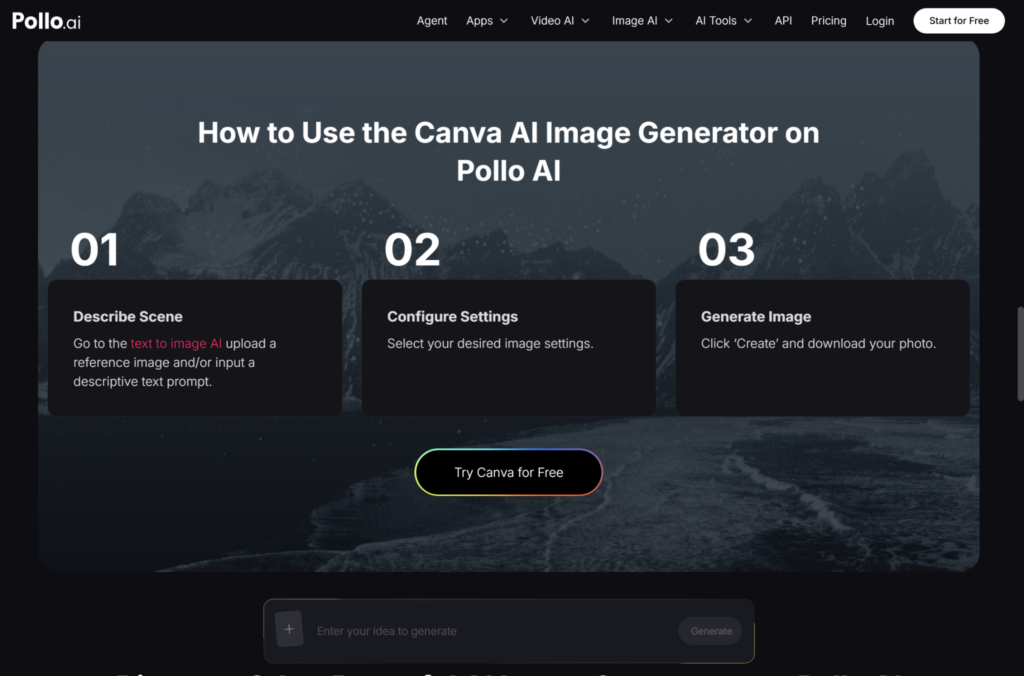
If you need a quick social graphic with subtle animation — a flash sale banner, an Instagram story, a simple promo slide — a general design platform like Canva is usually fastest. Pollo AI actually offers a similar workflow inside its Design Studio, letting you move between static design and motion without switching platforms. That kind of consolidation matters more than people realize: in 2026, the friction of jumping between tools is what kills creative output, not the cost of any single subscription.
If you need talking-head content or a UGC-style testimonial, you want an avatar tool, not image-to-video. Lip sync still isn’t where it needs to be in pure image-to-video models — that’s a separate category.
But for product motion, lifestyle b-roll, hero shots, ad creative variations, and atmospheric content for TikTok and Reels, image-to-video is the fastest path from idea to finished asset. Workflows that used to require two days with a videographer now take fifteen minutes.
A Real Workflow for Ecommerce Brands
Let me walk through a concrete example. Say you’re launching a new candle line and you have three product photos: a clean packshot on white, a lifestyle shot on a wooden table, and a close-up of the wick.
Start with the packshot. Generate a slow 360-degree rotation or a gentle camera push-in. This becomes your hero clip for the product page.
Move to the lifestyle shot. Animate the flame flickering, soft smoke rising, and warm light shifting across the wood grain. Suddenly you have a cinematic atmosphere clip with zero set-building.
For the close-up of the wick, generate a slow-motion ignition or a subtle flame dance. That’s your “premium moment” for paid social ads.
Three pieces of premium video content from three photos you already had — total production time under 30 minutes. Pollo AI’s Commerce Studio is built specifically for this kind of workflow, with templates tuned for product shots, model photography, and ecommerce poster design, all sharing the same credit pool as the rest of the platform.
Common Mistakes to Avoid
The biggest mistake I see is treating image-to-video like a slot machine. People generate once, get a mediocre result, and conclude the technology doesn’t work. Iteration is part of the process — even seasoned motion designers don’t nail it on the first try. Budget for multiple takes and learn to read what the model responds to.
The second mistake is over-animating. Just because you can make everything move doesn’t mean you should. The most effective clips have one or two clear motion elements and let the rest of the frame breathe.
The third mistake is forgetting sound. A silent animated clip feels half-finished. Even a basic ambient track or a soft whoosh on a transition doubles the perceived production value. Most modern AI platforms, Pollo AI included, now offer integrated audio generation, so there’s no excuse for shipping silent video.
Final Thoughts
Image-to-video isn’t a futuristic concept anymore — in mid-2026, it’s a core part of how small brands, agencies, and solo creators compete with bigger budgets. The models have matured, the outputs are genuinely usable, and the cost has dropped to a point where there’s no reason not to experiment. Platforms like Pollo AI bundle the best engines under one creative suite, which means you can stop chasing every new model release and focus on what actually matters: making content people want to watch.
Pick one workflow, commit to it for 30 days, and let the engagement data tell you what’s working. That’s how the brands winning on social right now are doing it — and it’s how you can too.
To read more content like this, explore The Brand Hopper
Subscribe to our newsletter